I told the kids a story about getting up early and wanting to make a cake and wanting to make eggs, so in the story they decided to make a Bacon Cake!
Next morning, it became quite real:


I told the kids a story about getting up early and wanting to make a cake and wanting to make eggs, so in the story they decided to make a Bacon Cake!
Next morning, it became quite real:
A short video the kids made of a princess, a guard, and an attack! Filmed in about an hour at our (in progress) workshop with very little fore-though. I laugh each time I watch it :)
FileStruct is a lightweight and fast file-cache / file-server designed for web-applications. It solves the problems of “where do I save all of those uploads” that has been encountered time and time again. FileStruct uses the local filesystem, but in a sensible way (keeping permissions sane), and with the ability to secure it to a reasonable level.
Here is a simple example of taking an image upload, resizing, and saving it:
with client.TempDir() as TempDir:
   open(TempDir.FilePath('upload.jpg'), 'wb').write(mydata)
   TempDir.ResizeImage('upload.jpg', 'resize.jpg', '100x100')
   hash1 = TempDir.Save('upload.jpg')
   hash2 = TempDir.Save('resize.jpg')
FileStruct is designed to work with files represented by the SHA-1 hash of their contents. This means that all files in FileStruct are immutable.
FileStruct is designed as a local repository of file data accessable (read/write) by an application or web application. All operations are local I/O operations and therefore, very fast.
Where possible, streaming hash functions are used to prevent iterating over a file twice.
FileStruct is designed so that Nginx can serve files directly from it’s Data directory using an X-Accel-Redirect header. For more information on this Nginx configuration directive, see http://wiki.nginx.org/XSendfile
Assuming that nginx runs under nginx user and file database is owned by the fileserver group, nginx needs to be in thefileserver group to serve files:
# usermod -a -G fileserver nginx
FileStruct is designed to be as secure as your hosting configuration. Where possible, a dedicated user should be allocated to read/write to FileStruct, and the database directory restricted to this user.
FileStruct is designed to be incredibly simple to use.
FileStruct is designed to simplify common operations on files, especially uploaded files. Image resizing for thumbnails is supported.
FileStruct is designed to simplify the use of Temp Files in an application. The API supports creation of a temporary directory, placing files in it, Ingesting files into FileStruct, and deleting the directory when completed (or retaining it in the event of an error)
FileStruct is designed to retain files until garbage collection is performed. Garbage collection consists of telling FileStruct what files you are interested in keeping, and having it move the remaining files to the trash.
FileStruct is designed to work seamlessly with rsync for backups and restores.
At the point a file is inserted or removed from FileStruct, it is a filesystem move operation. This means that under no circumstances will a file exist in FileStruct that has contents that do not match the name of the file.
FileStruct is not designed to store MetaData. It is designed to store file content. There may be several “files” which refer to the same content. empty.log, empty.txt, and empty.ini may all refer to the empty fileData/da/39/da39a3ee5e6b4b0d3255bfef95601890afd80709. However, this file will be retained as long as any aspect of the application still uses it.
Because file content is stored in files with the hash of the content, automatic file-level de-duplication occurs. When a file is pushed to FileStruct that already exists, there is no need to write it again.
This carries the distinct benifit of being able to use the same FileStruct database across multiple projects if desired, because the content of file Data/da/39/da39a3ee5e6b4b0d3255bfef95601890afd80709 is always the same, regardless of the application that placed it there.
Note: In the event that multiple instances or applications use the same database, the garbage collection routine MUST take all references to a given hash into account, across all applications that use the database. Otherwise, it would be easy to delete data that should be retained.
Have you ever been asked to generate an SSH keypair in order to gain access to a server, github, or an sftp site?
Here is how on windows.
First, download puttygen.exe from here:
http://www.chiark.greenend.org.uk/~sgtatham/putty/download.html
Second, run puttygen.exe and follow these instructions:
(except, put your name instead of Sharon)
(On step 8, copy and paste this and send it to whomever requested it)

We’ve been working on the installation of electrical and cable (internet) service at our property.
Simondale Excavating installed 1800 feet of conduit through the woods, under multiple roads, and near buildings with impeccable accuracy and attention to detail. All conduit was bedded with limestone dust and carefully back-filled to prevent damage.


We recently created this rough prototype toy gun with a removable clip. It’s modeled somewhat after a Glock, but only roughly. The kids love it.

We’ve invented a new board game, and it’s a lot of fun. Stratahex combines resource collection, transportation, logistics, planning, defense, offense, warfare, and more into a simple and easy-to-play boardgame.

The basic game pieces are:
The board consists of 3 concentric circles with a hex-shaped hole pattern. Parts of the board are painted light-gray, medium-gray, and dark-gray.
You can only spend coin once it has been transported back to your base in a supply truck. Each piece costs coin to purchase. You have a limited number of moves per supply-truck and per weapon each turn.
Stratahex is a very comprehensive, but still simple, game to play. The older kids, 8 and 10, have no trouble. There is a lot of figuring, math, counting, and changing coin.
Gameplay is predictable, like chess, in that you can determine the possible moves of the opponent before his next turn. There is no luck involved.
Plenty of fun!
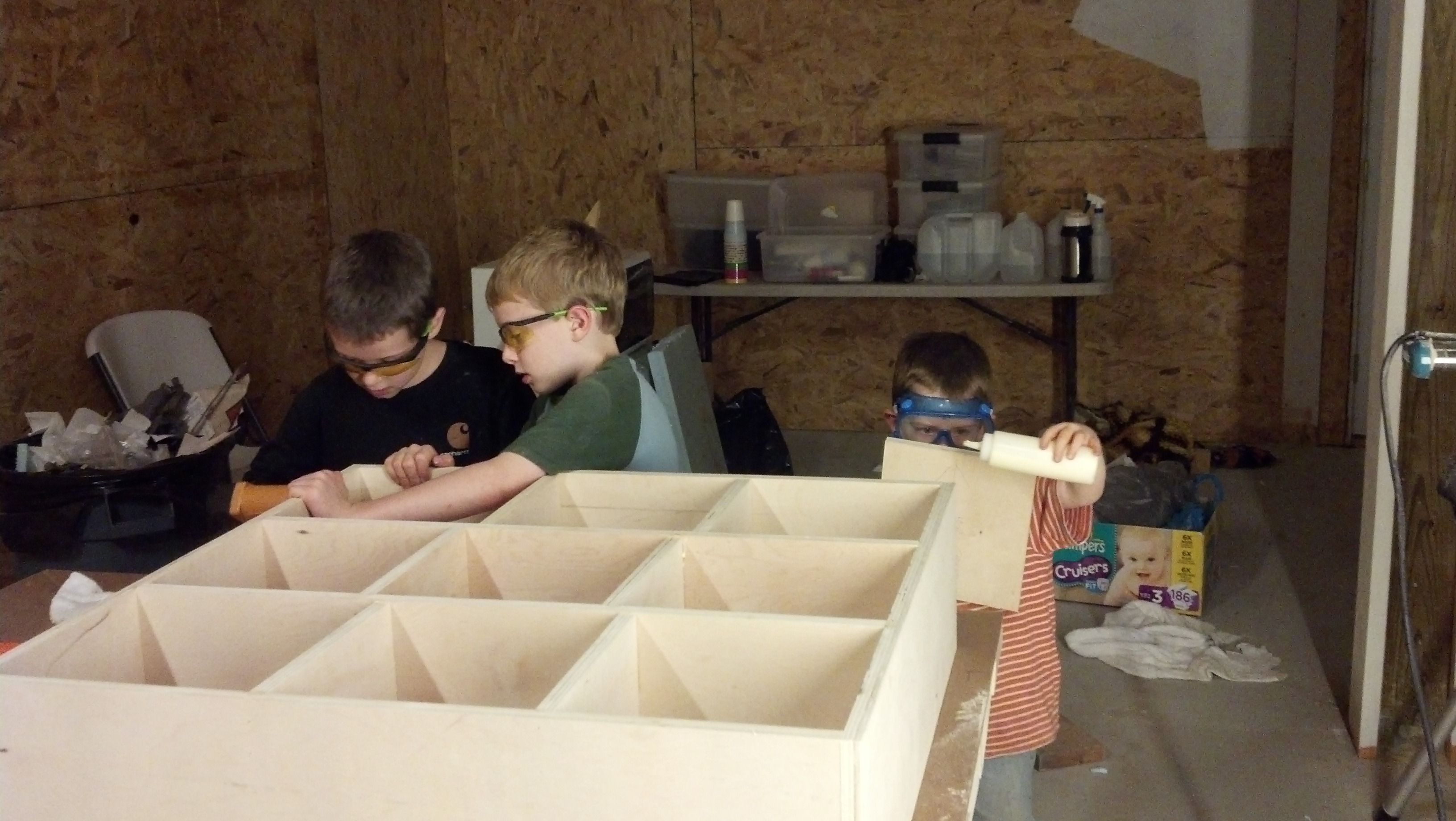
The very same evening we got our tools and supplies OFF the work table and ON the new shelves, we decided to build something, in this case, a nice shelf. Here is a picture of the kids hard at work.
Safety first!
 k
k
PostgreSQL is a very powerful database. One of the things that seems missing when moving from MySQL is the ability to simply create an enumeration. ENUM is nice when you have a programmatically-semantic set of values for a field.
In PostgreSQL, you have several choices. But one simple one is to create a Check expression, like follows. Skip the IS NULL part if you don’t want the field nullable.
ALTER TABLE
   "public"."CallCenter_Transfer"
ADD CONSTRAINT
   "CallCenter_Transfer_TransferStatus"
   CHECK (
      "TransferStatus" IS NULL
       OR
      "TransferStatus" = ANY(ARRAY['TransferComplete', 'TransferFailedNoAnswer', 'TransferFailedProspectLost'])
      )

 The Gahooa Perspective
