Designing a better Lime Squeezer

From time to time we host a get-together or party where we feature fresh squeezed limeade as the main beverage.  We have universally heard 5-star feedback from people who have had this simple but good drink.

The problem is, squeezing enough limes for a party of 60+ people takes a lot of time (and limes).  After about the fifth lime the first time… I had enough!

I went down to the shop and built a simple but powerful hinged wooden squeezer about 3′ long.  It looked like two canoe oars with a hinge holding them together.  With this contraption, a suitable helper (Eli), and a big stainless steel bowl, we could really crank out the lime juice (gallons).

Since using that a number of times, I’ve thought of some improvements I’d like to make, eventually ending in a fabricated stainless steel mechanism that is easy to use, powerful, and helpful.  The force applied to the lime should be compounded at the end of the squeeze cycle, taking full advantage of maximum leverage to get the last drops out (less waste, less fatigue).

Using the power of four-bars, I’m working up a Solid Works model which should meet most of the above criteria.  I think we will soon build a prototype out of maple, which is a very hard wood.

Here is a picture of it “open”:

Here is a picture of it “Closed”:


Making a punch; heat treating tool steel

About Tempering Metal  (how I explain it to kids):

The little metal guys normally stand at attention in rows — millions of them (molecules).  When you heat them up red hot, they start dancing and get all mixed up and out of order; not in rows any more.  When you cool them down, they get back into nice neat rows.

However, when you cool them off really fast by dipping in cold water, they get frozen before they can get back into nice neat rows!

If the metal guys are in nice neat rows, and you push on a row really hard, they can all move sideways.  But if they are all mixed up, it’s hard for them to move any way.  

This makes the metal really hard.


As part of Ezra’s box project, he needed to countersink the nails into the plywood.  I should have one, but I don’t have a countersink handy that would do the trick.

So we made one!

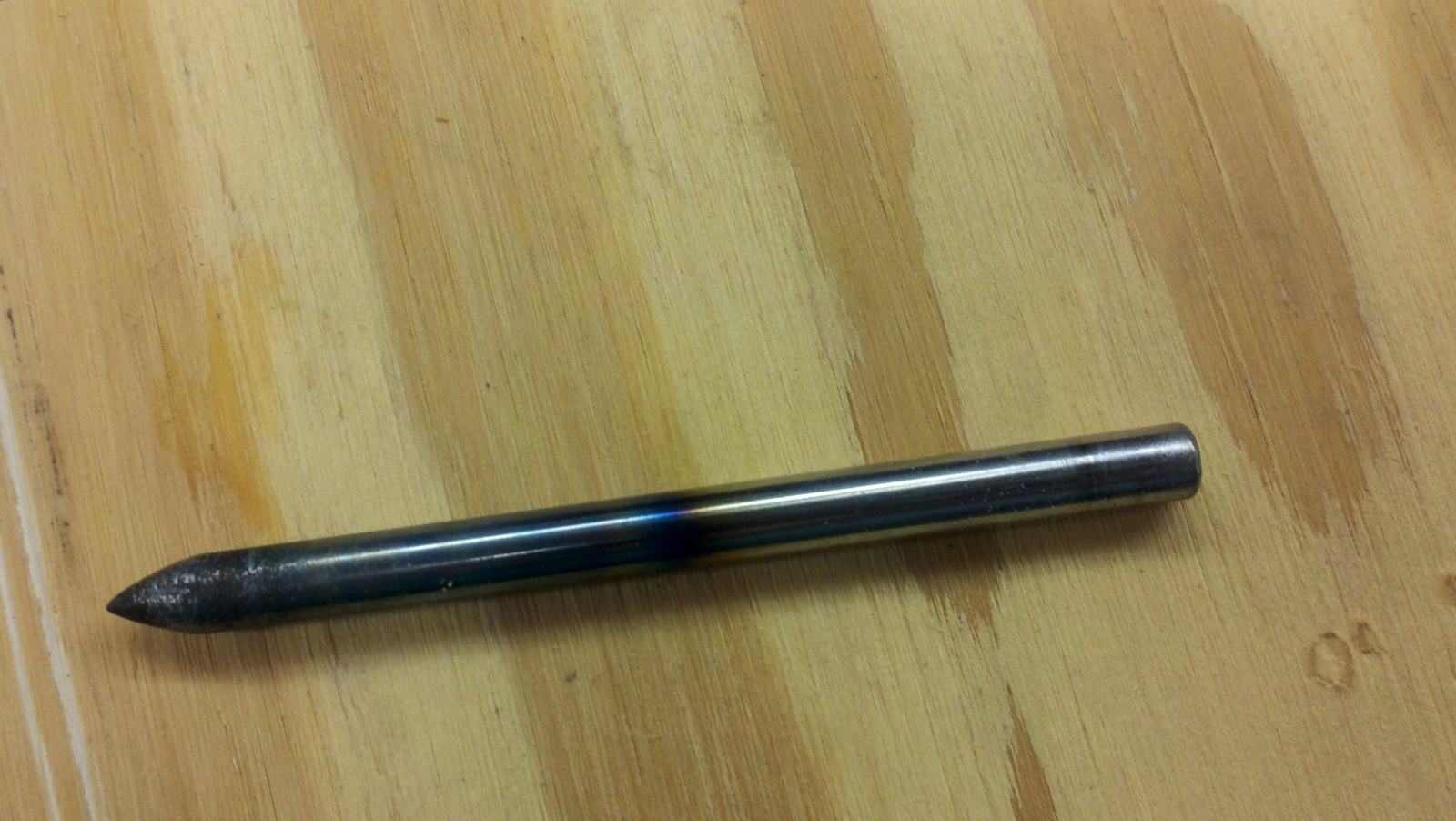
1/4″ diameter W1 tool steel rod (water hardened) was cut down to about 3.5 inches long.  Being that I don’t have a metal lathe, I improvised by chucking the metal into my drill and grinding it on the grinder – while spinning.  This resulted in a fairly uniform (albiet scratched) conical point.   We wire brushed it a bit on the grinder to smooth it out, and then took it over to the other side of the shop for heat treatment.

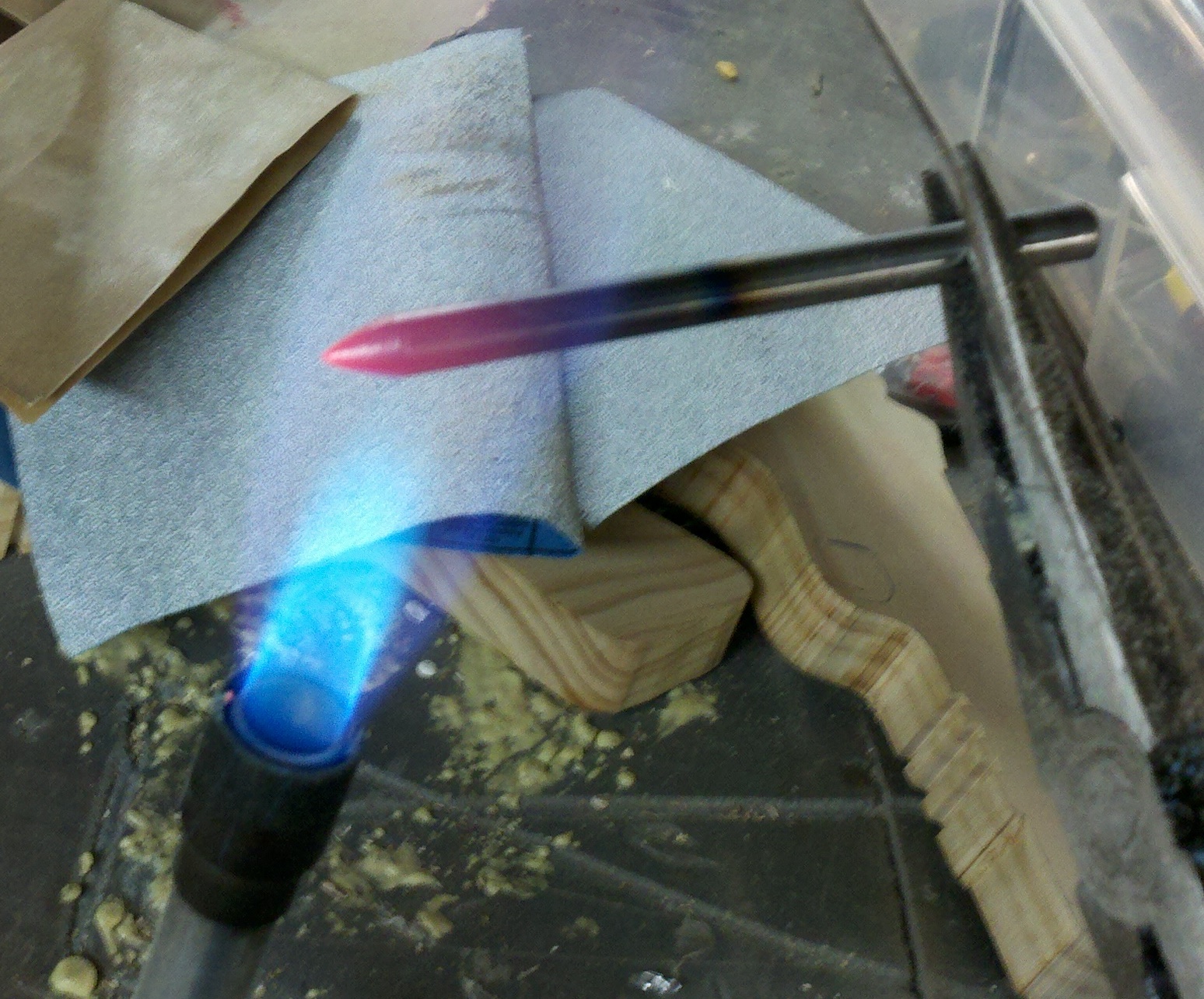
This casual approach to tempering worked well for our purposes.  We heated the metal red hot (just the end) and dunked it in cold water.  Then we polished it up a little bit.

In informal tests, this made it REALLY hard.  If I placed a nail against the top end and banged it, it would scratch the punch.  If I placed a nail agains the bottom (hard) end and banged it, it would flatten the nail without even marking the surface of the punch.

Also, the punch would reliably put small holes in a cast-iron vice and other metal without any noticeable deformation.  Nice!

Here is the pictures:

(Fire extinguisher was about 2 feet to the left, in case you were wondering!)


(Ezra) making a wooden box

Ezra brought me a piece of plywood today with pencil marks drawn all over it.  That is where he wanted it cut.  So I ripped it on the table saw and cross cut it on the compound mitre saw…

I gave him a little help laying this out, showed him how to clamp it, and then he went to town drilling 1/16″ holes and pounding finishing nails into it.

Only 2 breaks in the drill-bit, which isn’t bad for such a small bit and a 7 year old.

It turned out nice!  We’ll put a lid and hinges on it soon.


HomeSchool Software: All 700 pages have arrived

I think my inkjet printer is about ready to die…  Between printing GP-7 permit applications (fodder for another post), and a 700 page photo-intensive portfolio, it’s gone above and beyond the monthly duty cycle.

Here is a photograph of the finished portfolio in a 5″ binder printed on 48lb double sided matte photo paper.  It is really neat to look at and remember everything we did this year.

HomeSchool Software: Getting Close

I’ve recently been working against a deadline this month to get our Portfolio rendered, printed, and turned into the local Altoona Area School District.

The software has many improvements from the last couple days alone.  A background page renderer runs at all times, and will re-render a book’s page if anything on it changed.  The user interface for positioning images on a page is nearly complete.  I’ve enhanced the database with storage of full size JPEG images as well as info about the image (width, height, type, size).

Here is a screen shot of the page editor:

PVC Pipe Bench?

Someone contacted me about ideas for building a bench for a youth center out of PVC pipe.  Based on this information, I thought it should:

  1. Look cool
  2. Be inexpensive to build
  3. Be safe
  4. Comfortable!
  5. Fun

Here is what I came up with as a rough draft.  I’m not sure how to position the pipes so that it provides #4 above, but this was a rough guess.  I’m using a SPLINE curve in SolidWorks with pipes 3″ on center.

Any ideas about how to make something like this comfortable?
Also, anyone know where to get load calculations for structural use of PVC pipe?
It would be my preference to use thick walled aluminum tubing (or solid rod!) but again, #2 above needs to be satisfied.

HomeSchool Software: Page Rendering (Also ImageMagick Text Example)

Last couple days have had me working on the page rendering functionality of the HomeSchool software.  I’ve made some design decisions (for now) to speed up development like fixed 8.5″ x 11″ pages.  Hopefully later I will be able to go back and improve some aspects, but for now, time is of the essence.

Here is an example page render without the photographs included.  Still need a UI for selecting photographs and positioning them on the white area of the page.

At the bottom, see an ImageMagick Text Example about the python code used to render multiple text areas and color blocks on one image…

It took me a long time to figure out how to use ImageMagick to place multiple text areas on one image.  Here are some keywords for google:

ImageMagick, ImageMagick multiple text areas, ImageMagick pdf rendering, ImageMagick text.

      PrimerFont = join(App.Path, 'Static', 'Primerb.ttf')
      PrimerFontBold = join(App.Path, 'Static', 'Primer.ttf')
      RenderFile = join(TempDir, 'Render.jpg')

      # Build the full image
      subprocess.check_call((
        '/usr/bin/convert',

        # Setup the background
        '-size', '2550x3300',
        'xc:white',

        # Title Bar
        '-fill', 'grey14', '-draw', 'rectangle 0,0 2550,300',

        # Summary bar
        '-fill', 'RoyalBlue4', '-draw', 'rectangle 0,300 2550,600',

        # Description Bar
        '-fill', 'LightGrey', '-draw', 'rectangle 0,600 2550,1050',

        # Now draw the Name
        '(',
          '-density'    , '300',
          '-fill'       , 'white',
          '-background' , 'grey14',
          '-font'       , PrimerFont,
          '-size'       , '1650x150',
          '-gravity'    , 'West',
          '-pointsize'  , '20',
          'caption:'    + self.Book.Name,
        ')',
        '-gravity', 'NorthWest', '-geometry', '+150+150', '-composite',

        # Now draw the Date
        '(',
          '-density'    , '300',
          '-fill'       , 'white',
          '-background' , 'grey14',
          '-font'       , PrimerFont,
          '-size'       , '600x150',
          '-gravity'    , 'East',
          '-pointsize'  , '20',
          'caption:' + Activity.Date.strftime('%B %d, %Y'),
        ')',
        '-gravity', 'NorthEast', '-geometry', '+150+150', '-composite',

        # Now draw the Summary
        '(',
          '-density'    , '300',
          '-fill'       , 'white',
          '-background' , 'RoyalBlue4',
          '-font'       , PrimerFontBold,
          '-size'       , '2250x300',
          '-gravity'    , 'Center',
          '-pointsize'  , '20',
          'caption:'    + Activity.Summary.replace("\n", " "),
        ')',
        '-gravity', 'North', '-geometry', '+0+300', '-composite',

        # Now draw the Description
        '(',
          '-density'    , '300',
          '-fill'       , 'black',
          '-background' , 'LightGrey',
          '-font'       , PrimerFont,
          '-size'       , '2250x450',
          '-gravity'    , 'Center',
          '-pointsize'  , '14',
          'caption:'    + Activity.Description.replace("\n", "\\n"),
        ')',
        '-gravity', 'North', '-geometry', '+0+600', '-composite',

        # Now draw the Page
        '(',
          '-density'    , '300',
          '-fill'       , 'black',
          '-background' , 'white',
          '-font'       , PrimerFont,
          '-size'       , '2250x150',  #entire right half minus 150pt margin
          '-gravity'    , 'Center',
          '-pointsize'  , '14',
          'caption:'    + 'Page {0}'.format(self.PageNumber),
        ')',
        '-gravity', 'South', '-geometry', '+0+150', '-composite',

#        NameFile, '-geometry', '+0+0', '-composite',
#        DateFile, '-geometry', '+1275+0', '-composite',
#        SummaryFile, '-geometry', '+0+150', '-composite',
#        DescriptionFile, '-geometry', '+0+450', '-composite',

        RenderFile,
        ))

Home School Software Update: Portfolio Time

It’s that time of year again… Time to get the log and portfolio to the Altoona Area School District.  One problem — the software isn’t quite ready!

However, I’ve been making daily progress on getting the “output” working.  Here is how it is structured in this initial version:

  • You can create a book, “Eli Daniel Garber 2010-2011 Portfolio” for example.
  • Activities are added to the book, one activity per page.
  • The activity summary and description, date and pictures come along.
  • You can move the pictures around, crop, and choose the exact ones you want.
  • Pages in the book can be sorted any way you want.
  • Once the book is “ready”, you can output a print-quality PDF.  This PDF could be printed or sent to a printer to turn into a hardback book.
So far, we have recorded about 500 activities this year covering nearly 200 days — and we are still catching up on things that didn’t get entered.  One of the neat aspects of this project is to be able to really see what we’ve been up to all year.
Due to time constraints, I’m just focusing on getting good output.  Bells and whistles (chapters, cover pages, extra documents, table of contents, etc…) will have to come later.
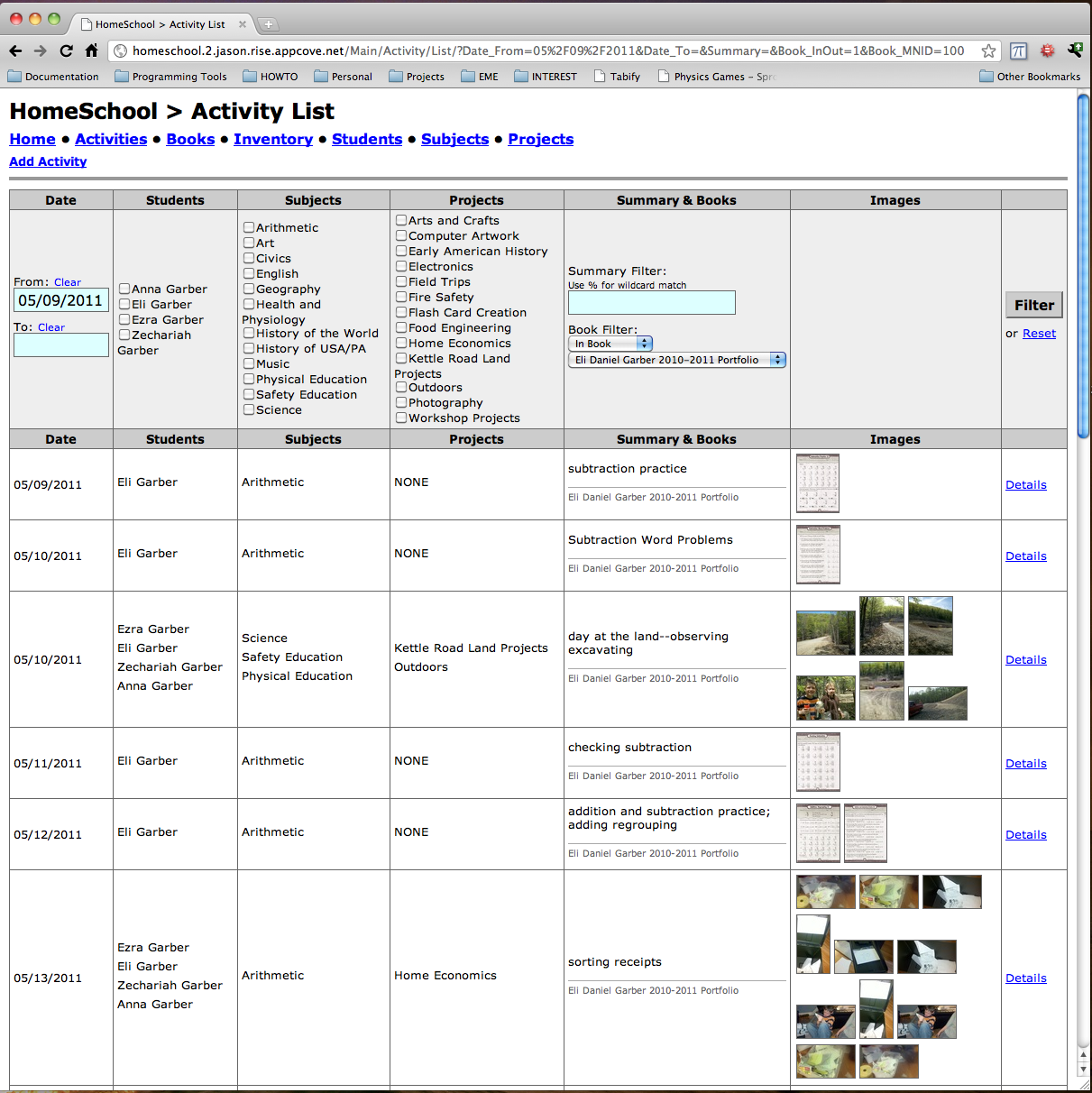
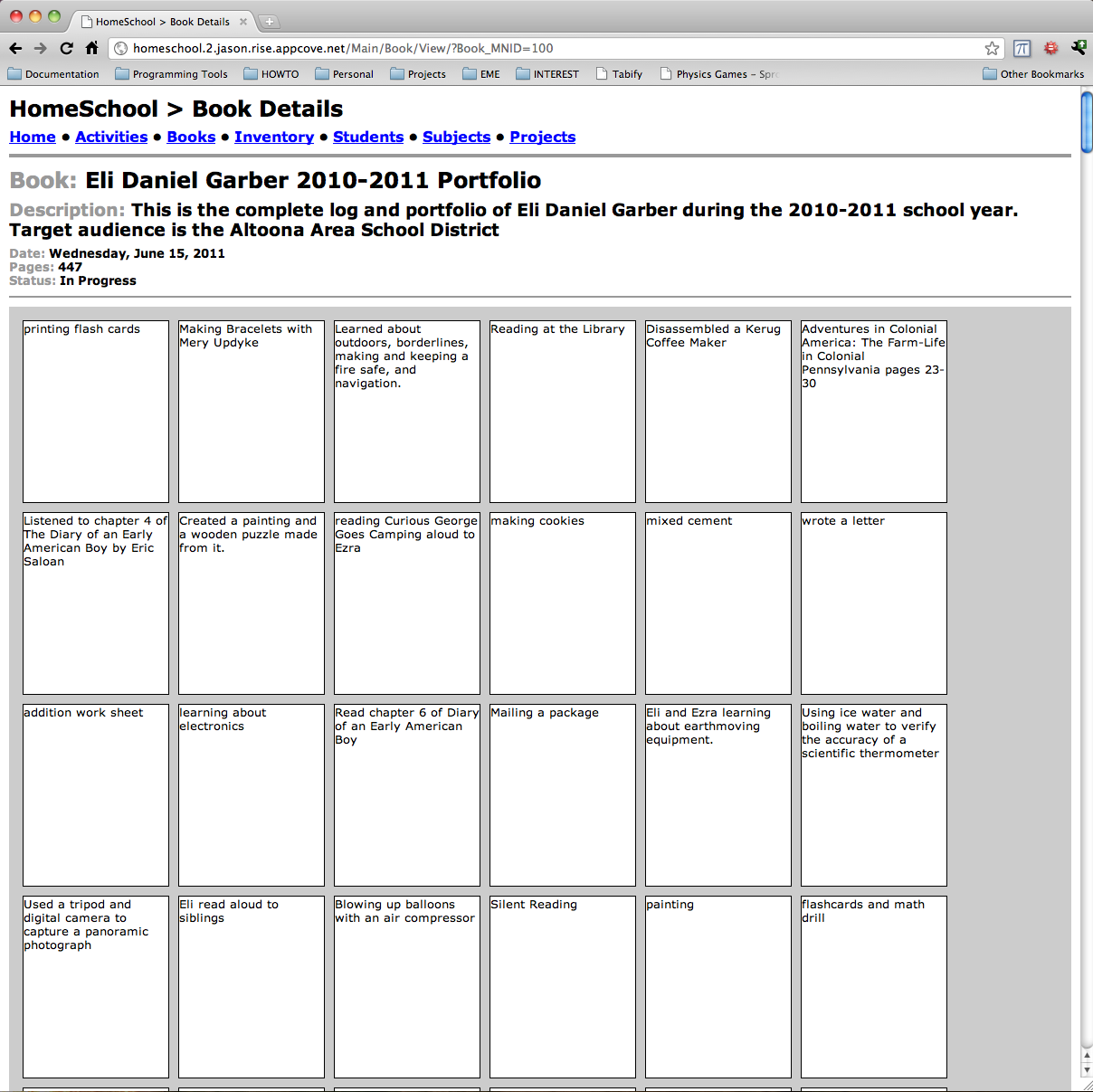
Also, I added extensive filtering to the activity list, to help make it faster and more manageable.  Here are a couple of screen shots: