Installing Source RPMs to your home directory

I’ve been involved in an ongoing project to build RPMs for all of the “custom” software installs we use on RedHat Enterprise Linux 5 (RHEL5) at AppCove.

By default (on RHEL), source RPMs are installed to /usr/src/redhat. This is nice, except that I don’t want to be running as root when building software.

rpm -i --relocate /usr/src/redhat=/home/build/RPMBUILD setuptools-0.6c9-1.src.rpm

The previous command will install the specified source rpm to a local directory under the “build” user.  That makes it easy to tweak the .spec file, and then build the desired RPM.

Corner Office with a … Basement Light!

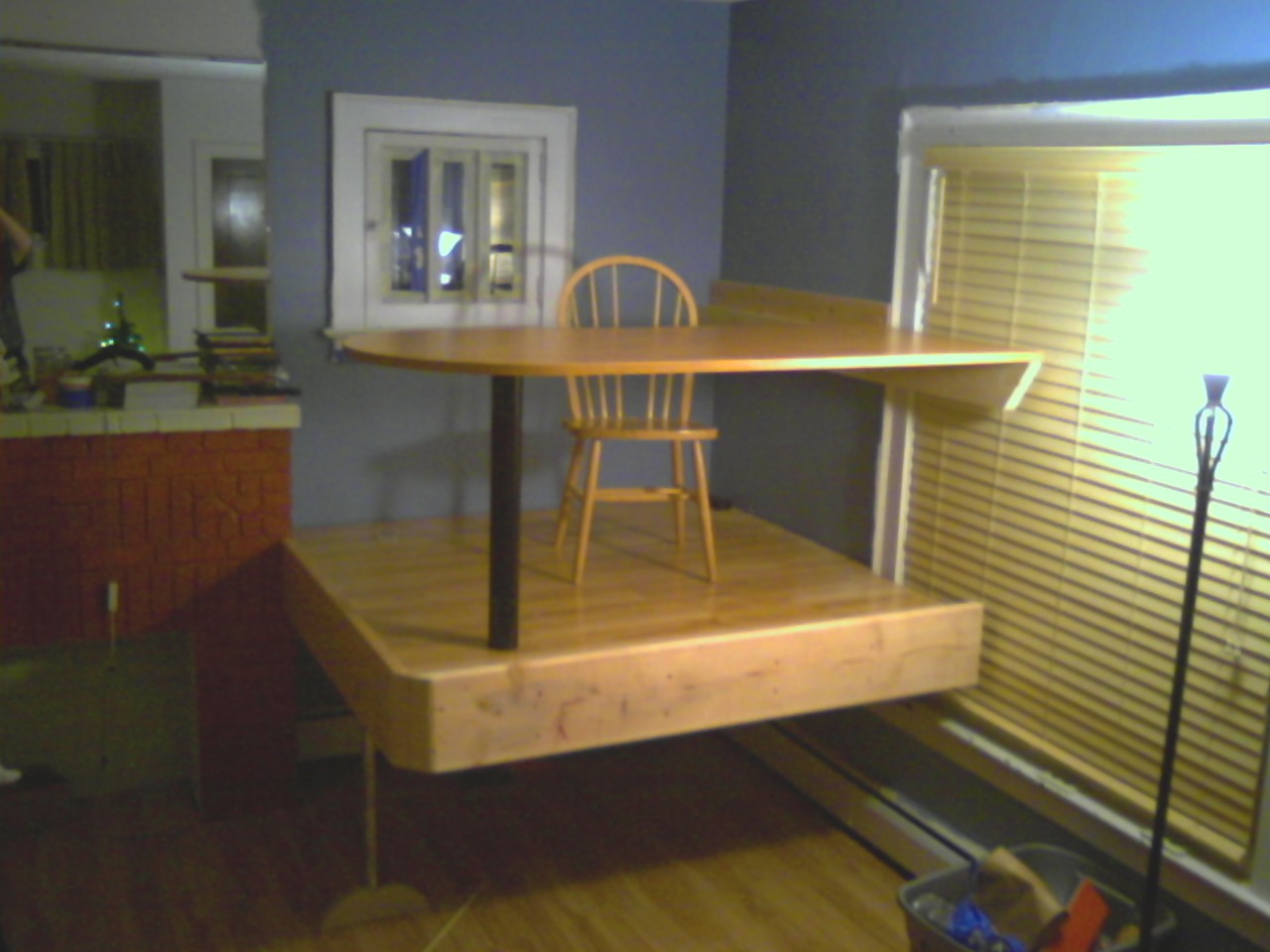
I’ve been working on moving into the new corner office with a view.  So far I have a chair, my laptop, a second monitor, keyboard, mouse, power strip, etc…

From the middle of the room, standing.

From the middle of the room, standing.

I must say — I love it.  It is indeed a unique experience to be working with your head about 7 feet off the floor.  It feels like and “office” but still a part of “home.

Tonight my 2 older sons and I went to Lowes to pick up some parts for a sub project.  We wanted to add some nice bright lighting underneath the platform, so they could host more activites down there.  They like puzzles and reading, so you need a good bit of light for that.

Our requirements were:

  • Low profile
  • Bright
  • Break-proof
  • A switch

I really didn’t want glass shattered all over the place, so good sturdy cover was required.  At the same time, sharp metal parts were out for safety reasons.

Purchased Light

We picked up satin nickel finish 48″ low profile fluorescent light fixture.  It has smooth edges, a sturdy plastic cover, and lies very flat.  But alas, it did not have a switch.  So we picked up some good sturdy wire nuts, a heavy duty toggle switch, and a grounded extension cord (soon to be light cord).

After we brought the light home and unpacked it, I started evaluating how I was going to mount it.  It was setup so the wires would go directly out the back, presumably into a junction box in the wall.  But we were  mounting it to solid wood, so that was a no-go.

So I did what any other red-blooded male would do in his workshop — dissembled the entire light.  Here we found that each side of the light is hollow aluminum, about 1.5×2.0″, and all of “their” wiring was in the one side.

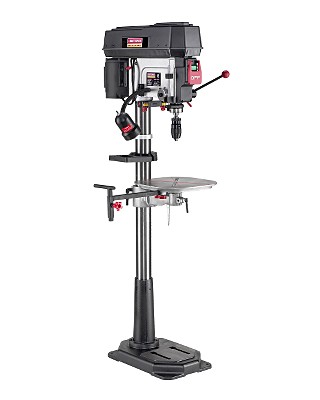
craftsman-drill-pressFirst, we took the one aluminum piece and clamped it in my drill press.  Then using a 3/8″ end mill, I milled a slot about 1/2″ by 1″ – just large enough to slip a wire nut through.  (I know the drill press is not especially suited for that, but my milling machine was just too small).

Secondly, we drilled ~1/2″ holes in all four end caps.  Why four?  Because there were “functional” end caps, and “pretty” covers. That was a bit tricky, because the end caps were die-cast aluminum – not exactly the kind of material you want to clamp really hard.  And it was elliptical, so there was no convenient place to clamp it.  We ended up fabricating a custom hold-down setup using a 2×6, piece of scrap aluminum, and 2 wood screws.

Toggle Switch.  Custom made.

Toggle Switch. Custom installed.

Thirdly, we connected all the wires.  The extra wires were heavy gauge stranded wire normally used for house wiring.  On the one end, I mounted the toggle switch, and on the other end, I ran the cut end of the extension cord into the light fixture.  Each of the 8 connections were very carefully twisted and wire nutted, and then covered with 3M electrical tape, just for added security.

Lastly, we installed it. Using 3 normal wood screws, we attached it to the “ceiling” of the space under the platform – right up against the padded steel beam.

It really fits in, and is amazingly bright.  The really narrow florescent tubes perform quite well.  The boys love it, and it is quite safe (as far as banging heads off of it, etc…).

Here is a picture of the two boys under the platform in their PJ’s shortly after installation:

Two happy boys in their new play area, under my office.

Two happy boys in their new play area, under my office.

Update [1] on Fedora vs Redhat Enterprise Linux

This is in reference to https://blog.gahooa.com/2009/01/18/fedora-or-redhat-enterprise-linux-in-a-production-environment/.

After the excellent comment by Sergio Olivo, I did some heavy looking into the Extra Packages for Enterprise Linux project (EPEL for short).  On a brand-spanking-new RHEL 5 box, I installed the YUM repository for EPEL, and quite immediately had access to tons of extra packages.  Erlang is there.  Git is there.  Memcached is there.  Sweet!

However, EPEL does not update or replace the version of any packages provided by RHEL.

So the problem of having out of date versions of PHP and Python still remain.  Next I looked into using a third party RPM repository (provided by RackSpace).  They provide updated versions of PHP and a number of PHP modules.  But alas, this created incompatibilities with the EPEL packages for PHP.  This is because EPEL packages are targeted for RHEL versions. Bla…

So here is what I decided to do (haven’t done it yet, but will soon).  We will build and package our own custom set of RPMs for RHEL 5, and publish them in an RPM repository.  Then we will simply point each server to that repository in addition to the main RHEL repository, and poof, problem solved.  We may also use EPEL for things like Erlang and git.  Or we may compile from source.  Not sure.

For those of you who are not familiar with YUM RPM repositories, they can be as simple as a specail directory structure served by a webserver.

There are a few items remaining to be concluded, but they should fall into place fairly quickly.

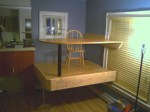
My new corner office with a view

Finally!  It’s (structurally) done!

This is most likely something you have never seen before, but…  We recently had our 4th child, a little girl named Anna.  So I need to clear my office out of the one bedroom that will soon be hers (yes, a bit late).  Needing somewhere to setup, I decided on the living room.  I really like being around the family in the evening/weekend when I am working on various projects.

So my boys and I undertook making an office in the corner of the living room.  Not a “normal” office, but a “floating” office.  In this way, we achieve several benefits:

  • The kids will play under the platform.
  • They love it
  • I will work on top of it.
  • I get a good perspective of the house.
  • Gained square footage
  • A “cool” factor for the kids.
  • The living room still feels “open”

The structure

This platform was made by creating a doubled 2″x6″ box about 6’x6′.  It was built one board at a time, each glued and screwed together.  It is attached directly to the studs with (16) 3/8 x 4 hex lag screws, and (12) tapcons into the fireplace.

The single floor support consists of an 80 pound steel beam (3×5″ tube), wrapped in an anti-fatigue mat (head bang protection).  This was chosen for its low profile and stiffness, providing the kids with more headroom.

The flooring is made of jointed 2×10 boards, all glued and screwed down.

The platform was encased in additional 2×10 boards, creating a rim both for apperance and to prevent things from rolling off the platform.

The single leg is a length of galvanized steel pipe threaded into a custom-made maple leg.

Hardwood laminate (pergo) was laid down on top of the 2×10 flooring.

The desk top is a custom mounted “Bullet Table” provided by Ellis Office Supply.

The Photos

From across living room, seated.

From across living room, seated.

From the middle of the room, standing.

From the middle of the room, standing.

Underneath

Underneath

Conclusion

Perhaps a bit strange?  Sure. Functional?  Completely. Fun?  Totally...

Now, what kind of computer deserves to be placed on that nice platform?  I’d love to hear comments on this one.

Backup Solution for Home

While data backups at AppCove are taken very seriously, my personal computer at home has, well, been put off for a bit too long…

A recent bite by the Vundo virus lit a fire under me to better be able to recover from a catastrophic loss of a personal computer.  I did some research on online backup providers, and found what has turned out to be a great one:

http://www.sugarsync.com

sugarsync-web

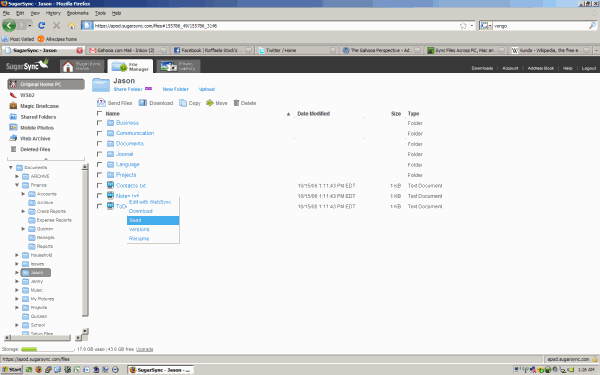
SugarSync is a slick little program that you install on your computer.  You tell it what folders to backup, and away it goes.  It constantly watches the folders to see when new or changed files need picked up.  They also provide a great web based interface to access your files online.

What got me really interested in Sugar Sync was the fact that it can synchronize folders across multiple PC’s.  Wow, to have all of your important files on your HDD at all times?  That’s really cool.

Under one account, you can add multiple PC’s.  You pay for disk space allocations, starting at $2.49/month.  60GB is currently $10 per month.

Security?  Anything that you can login on the web with a simple username and password, including a “forgot password” link, in my opinion, has limited security.  In other words, there are half a dozen ways to circumvent it.  But for the purposes of storing our documents and pictures in a safe place, I believe it is quite suitable.

Here is some info from the About Us page — this was very important in making my decision:

Sharpcast is pioneering innovative solutions that combine fast offline applications with rich online services for protecting, sharing, accessing and enjoying digital files from anywhere on a broad range of devices — personal computers, mobile phones and more. People shouldn’t have to worry about where their files, photos and music are located to be able to enjoy them from anywhere. We make this dream a reality.

A team of wireless and consumer Internet industry veterans with a proven track record for building large-scale wireless data systems and successful Internet businesses founded Sharpcast in 2004 with a mission to make digital life simple. Sharpcast is backed by top Silicon Valley venture capital firms Draper Fisher Jurvetson, Sigma Partners and Selby Venture Partners.

Our flagship service, SugarSync, launched in March of 2008 to rave reviews and is available direct to consumer. SugarSync is built on our proprietary Sharpcast Universal Sync Platform which is also available for license by Wireless Carriers, Internet Service Providers, and Device Manufacturers.

Conclusion:

  • Good company backing + a real company
  • Clean and lightweight client software
  • Easy to use and very functional web interface
  • Sharing Folders now available
  • Folder Sync + Magic Briefcase
  • Most recent five versions of any given file retained
  • Very reasonable price. (Reasonable in the sense that they can make money for a good service provided.)

Highly recommended.

Crayon Physics Deluxe is out!

This has to be one of the coolest games to arive since Wolfenstein 3D first came out.  If you were around for that, remember how revolutionary that was?

Crayon Physics Deluxe is is a 2D physics puzzle / sandbox game, in which you get to experience what it would be like if your drawings would be magically transformed into real physical objects. Solve puzzles with your artistic vision and creative use of physics.

This video says it all:

Find out more at http://www.crayonphysics.com/

Basics of telnet and HTTP

Say you want to request a webpage…  Normally, one would use a web browser, right?  But sometimes you just need to see what is really going on…  In this blog post I will show the basics of using the telnet command to work with the HTTP protocol.

For reference: http://www.w3.org/Protocols/rfc2616/rfc2616.html

Most of these commands were run on Linux, but telnet on Windows should work too.

telnet <ip-or-host> <port>

Background…

If you are using the HTTP protocol, which is port 80, then you must follow the HTTP protocol conventions (which are simple).  HTTP has two primary versions at this point: 1.0 and 1.1.

In the HTTP 1.0 days, a single website was bound to a single IP address.  What this means is that an HTTP request sent to a given IP address would return content from only one site.  This is quite limiting and inconvenient.  To have to assign a new IP for every different domain name… What a bother.  Not to mention that the current internet protocol standard, IPv4, is limited to several billion addresses and quickly running out.

More recently, HTTP 1.1 has become the standard.  This enables something called Name Based Virtual Hosting.  By requiring a “Host” header to be sent along with the request, HTTP servers can in turn “look up” the correct website and return it based on the name.  Hundreds or even thousands of different domains can now be hosted on a single IP address.

(keep in mind that SSL certificates each require a seperate IP address.  Due to encryption issues, the IP address is needed to determine which SSL certificate to use…)

So with that introduction, allow me to show you the basics of HTTP…

Using HTTP over Telnet

The telnet utility is a simple (but useful) utility that allows one to establish connections to a remote server.  From my perspective, it is most useful with plain text protocols (like HTTP), but my knowledge of telnet is not very deep…

Here is an example (commands you would type are in red):

[jason@neon ~]$ telnet gahooa.com 80
Trying 74.220.208.72…
Connected to gahooa.com (74.220.208.72).
Escape character is ‘^]’.
GET /       <press enter>
<html>
   <body>
      Hi, you have reached Gahooa!
   </body>
</html>
Connection closed by foreign host.

Because it was an HTTP 1.0 request, the server DID NOT wait for additional headers.  Again, quite limiting – only sending one header line.

And… HTTP 1.1

Here is an example of an Apache Virtual Host configuration directive.

<VirtualHost 74.220.208.72:80>
   # Defines the main name by which this VirtualHost responds to
   ServerName gahooa.com

   # Additional names (space delimited) which this VirtualHost will respond to.
   ServerAlias www.gahooa.com 

   # Apache will append the requested URI to this path in order to find the resource to serve.
   DocumentRoot /home/gahooa/sites/gahooa.com/docroot

</VirtualHost>

When we issue the following HTTP 1.1 request, we are in effect asking for the file at:

/home/gahooa/sites/gahooa.com/docroot/index.html

Keep in mind that because this is HTTP 1.1, the web server will continue to accept header lines until it encounters a blank line:
A blank line…

[jason@neon ~]$ telnet gahooa.com 80
Trying 74.220.208.72…
Connected to gahooa.com (74.220.208.72).
Escape character is ‘^]’.
GET /index.html HTTP/1.1       <press enter>
Host: www.gahooa.com           <press enter>
                               <press enter again>
HTTP/1.1 200 OK
Date: Wed, 03 Sep 2008 21:00:46 GMT
Server: Apache/2.2.9 (Unix)
Transfer-Encoding: chunked
Content-Type: text/html
                               <take note of blank line here>
<html>
   <body>
      Hi, you have reached Gahooa!
   </body>
</html>
Connection closed by foreign host.

A couple notes:

  • HTTP 1.1 continues to accept header lines until it recieves a blank line
  • HTTP 1.1 sends a number of header lines in the response.  Then a blank line.  Then the response content.

Redirects

One of the main points of writing this article was to describe how to debug strange redirect problems.   Redirects are done by sending a “Location” header in the response.  For more information on the Location header, please see http://www.w3.org/Protocols/rfc2616/rfc2616-sec14.html#sec14.30

[jason@neon ~]$ telnet gahooa.com 80
Trying 74.220.208.72…
Connected to gahooa.com (74.220.208.72).
Escape character is ‘^]’.
GET /test-redirect.php HTTP/1.1 <press enter>
Host: www.gahooa.com            <press enter>
                                <press enter again>
HTTP/1.1 200 OK
Date: Wed, 03 Sep 2008 21:00:46 GMT
Server: Apache/2.2.9 (Unix)
Transfer-Encoding: chunked
Content-Type: text/html
Location: http://www.google.com <take note of this line>

The Location header in the response instructs the requestor to re-request the resource, but from the URI specified in the Location header.  In the above example, if you were debugging redirect issues, you would simply initiate another HTTP request to  http://www.google.com

Python instead of telnet

Finally, I’d like to illustrate a really simple python program that would facilitate playing around with the same:

import socket
S = socket.socket(socket.AF_INET)
S.connect(("www.gahooa.com", 80))

S.send("GET / HTTP/1.1\r\n")
S.send("Host: www.gahooa.com\r\n")
S.send("\r\n")

print S.recv(1000)

S.close()

Conclusion

When you are not familiar with protocols such as HTTP, understanding “how things work” can be daunting.  But like many technologies out there, they really are simple (once understood).

The more truth and understanding you can fit into your perspective, the better you will be able to make informed decisions.

Gahooa!

File Extensions and Apache, a win-win solution

Here is the problem…  Either the developer loses, or the end user loses.  What possibly could I be talking about?  Allow me to explain…

Long ago, websites were authored using .html files.  Developers would hand code them to make sites which served their purposes quite nicely.  But as time went on, more was demanded of the web.  Server side languages, such as PHP, ASP, Java, Perl, Python, and more began to surface and become quite popular.

The file extension shown in the browser *usually* matches the file extension used on the server.  At least under Apache’s default configurations (and IIS, I believe).

http://www.site.com/home/index.html

But now, it is quite common to see this:

apache-win-win-1

Or this:

apache-win-win-2

Or even this (whatever it’s doing…)

apache-win-win-3

But in reality…

They are all really returning a file with:

Content-type: text/html

That’s a pretty common approach to using server side languages.  There are a couple other approaches also, such as:

  1. Don’t use files at all, only directories:
    http://www.example.com/about
  2. Auto generate the files on the site (but then you lose the “interactive” nature of a server site language)
    http://www.example.com/about.html

The problems with the above are:

  • It gives the developers an “incorrect” file extension to work with (ie, embedding PHP in a .html file)
  • Or, it gives the end user a file like “about.asp”, but in reality, there is not a single character of ASP in the file they receive.

(“quit complaining”, you may say…  oh well… I do like things to be “optimal” when possible)

So I identified a way to suit both purposes nicely. We now name our scripts names like:

  • /home/about.html.php
  • /render/image.jpg.php
  • /foo/bar.xhtml.php

HOWEVER, when they are referenced via HTTP, the last extension is alwas omitted.

  • /home/about.html
  • /render/image.jpg
  • /foo/bar.xhtml

(doesn’t that look nice?)

To pull it off, we implemented an interesting Apache mod_rewrite rule:

RewriteCond %{REQUEST_FILENAME} (\.html|\.xhtml)$
RewriteCond %{DOCUMENT_ROOT}%{REQUEST_FILENAME}.php -f
RewriteRule ^(.*)$ $1.php

‘if the request ends in “.html” or “.xhtml”, and the file (REQUEST + “.php”) exists, then use that file instead.’

In this way, the end user simply receives an “.html” file.  The developers are still looking at a “.php” file.  And everyone is happy.

Observations and Questions:

Developers at AppCove have taken to this quite readily.  There was a little confusion at first about linking to “.html.php”, but that was quickly resolved.

Does it impact performance?  I’m sure it has an impact, however so small, but have not tested that.  It would be an interesting benchmark.  My opinion is that it would be negligible.

Useful?  Sure!  I think it is more “correct” to return a file with an extension that appropriately describes its content type.


Thoughts?

Fedora or RedHat Enterprise Linux in a production environment?

[UPDATE AT https://blog.gahooa.com/2009/02/08/update-on-fedora-vs-redhat-enterprise-linux/]

At AppCove, we run RedHat Enterprise Linux on all of our servers.  RHEL is great, because:

  1. It works
  2. It still works
  3. Automatic security updates
  4. Did I mention, it just works?

RedHat, as far as I know, takes a very serious perspective on patching all of their RPM’s and automatically pushing them out via the update agent (up2date).  They are very conservative on the versions of packages that they publish.  RHEL 4, for example, is still running PHP 4.x.  Python 2.3.  MySQL 4.x…  I believe that they do this to maintain stability and long term support.

However, for a company like AppCove, those versions are simply too old. For years we have hand-compiled about a dozen packages on RHEL 4 in order to be able to take advantage of relevant features in newer software.  PHP, Python, MySQL (from mysql.com supplied RPM), python-mysql, git, erlang, memcached, libmcrypt, and others are part of the growing list of software that we have to install manually.

With this growing list comes a growing issue of security updates and maintainability.  More complicated packages need more updated libraries, creating a chain-reaction of additional packages.  Etc…


Recently I signed up with a “slice” at SliceHost.  (SliceHost provides virtualized machines for a great price, with lots of scalability available).  I chose Fedora Core 10 for the OS.  I must say I have been very impressed.

All of the packages that I have needed were right there, available by yum install.  PHP, Python, python-mysql, erlang, memcached, php-memcached, python-memcached, git, etc…, etc…, and did I mention that tree was even there?  And it has all “just worked”.


In summary, here are the items that I need to resolve:

  1. Is fedora considered as “secure” as RHEL?  Is there a team dedicated to getting security patches our fast when identified?
  2. Are continuous upgrades in fedora an issue?  Do software packages abruptly get updated without notice?  (this has at times been an issue with RHEL).
  3. Is it possible to run RHEL while also connecting to fedora package repositories to install specific packages?  Desirable?  Undesirable?  Conflicts?

The most secure computer is one that is locked in a vault and turned off.  Since that won’t work for most needs, one must find the appropriate balance between functionality and security.

Comments welcome…

Dolly Sods

dolly-sods-fullThe (current) header to this blog is a picture that I took with my wife when visiting a very secluded area in West Virginia.  We were staying in a cabin at Harman’s North Fork Cottages which was right on the headwaters of the Potomac.  As we were taking  a drive one day, I noticed a sign for “Dolly Sods”.  What a strange name?

It was a gravel road that went up and up and up and up into the mountians.  I think it peaked out at over 4,000 feet above sea level (which is high for the east coast).   Anyway, the picture here was taken several miles up that gravel road.  Wow.

harmans-flowerAnd by the way, here is a picture of  a flower taken the same time on the banks of headwaters of the Potomac.

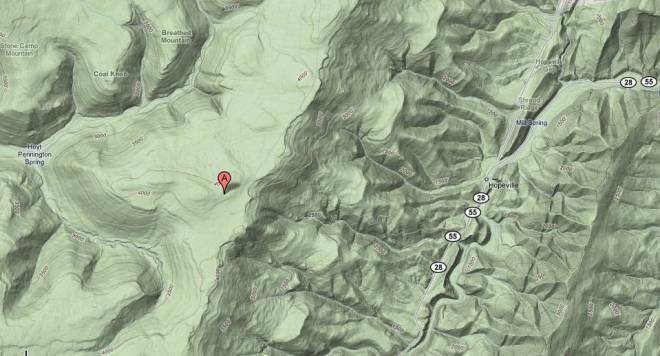
For those of you who have a geographic interest, I found google maps to be very enlightening when it came to looking at the terrain. Look at how steep the mountians are…  dolly-sods-map

I couldn’t recommend it more for a quiet time away…