Having the need to store a lot of small tools and parts within easy reach, I used a bunch of extra 4″ PVC pipe cut into 11″ lengths and framed with 2×12 lumber.

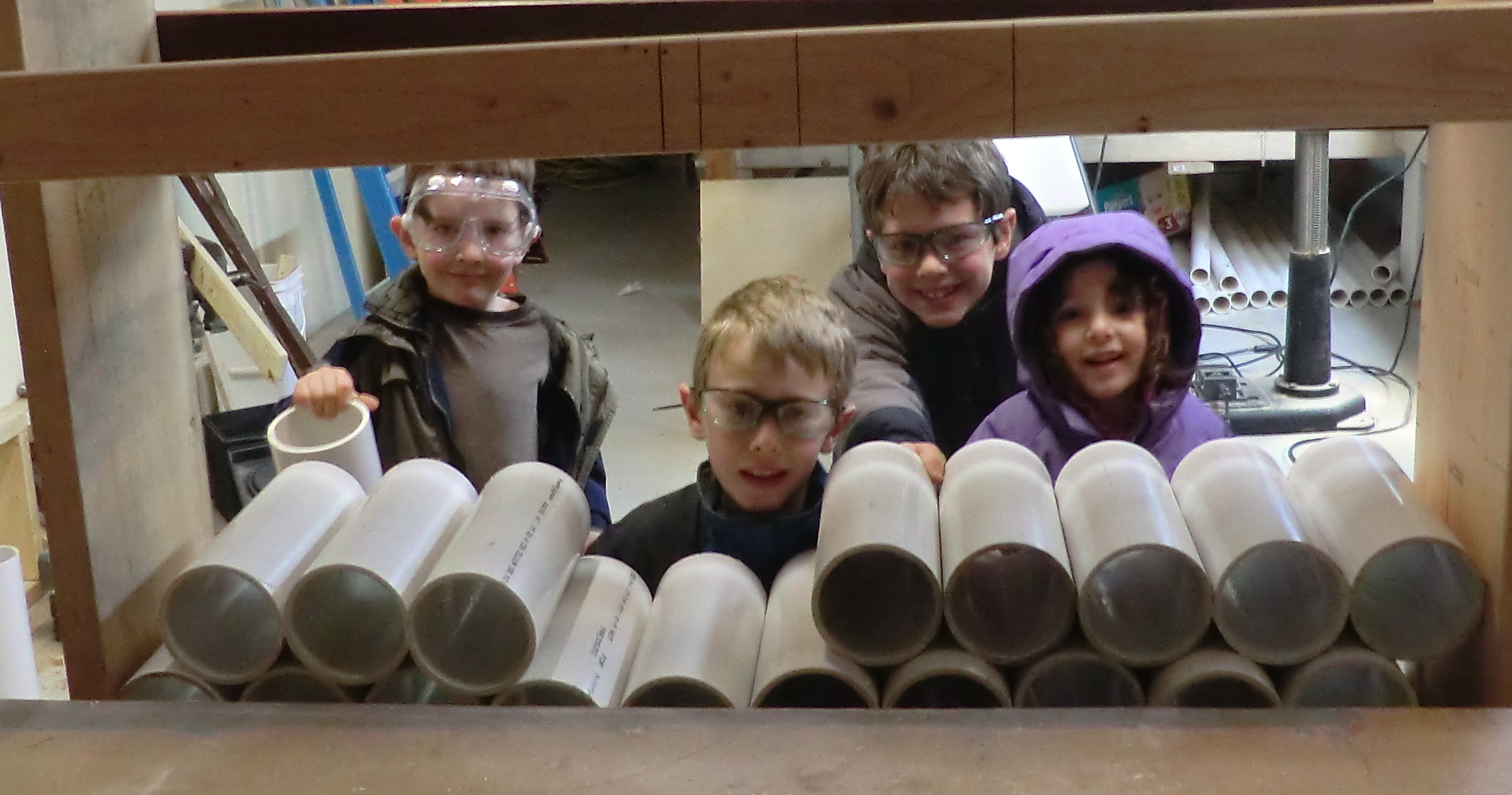


Having the need to store a lot of small tools and parts within easy reach, I used a bunch of extra 4″ PVC pipe cut into 11″ lengths and framed with 2×12 lumber.
FileStruct is a lightweight and fast file-cache / file-server designed for web-applications. It solves the problems of “where do I save all of those uploads” that has been encountered time and time again. FileStruct uses the local filesystem, but in a sensible way (keeping permissions sane), and with the ability to secure it to a reasonable level.
Here is a simple example of taking an image upload, resizing, and saving it:
with client.TempDir() as TempDir:
   open(TempDir.FilePath('upload.jpg'), 'wb').write(mydata)
   TempDir.ResizeImage('upload.jpg', 'resize.jpg', '100x100')
   hash1 = TempDir.Save('upload.jpg')
   hash2 = TempDir.Save('resize.jpg')
FileStruct is designed to work with files represented by the SHA-1 hash of their contents. This means that all files in FileStruct are immutable.
FileStruct is designed as a local repository of file data accessable (read/write) by an application or web application. All operations are local I/O operations and therefore, very fast.
Where possible, streaming hash functions are used to prevent iterating over a file twice.
FileStruct is designed so that Nginx can serve files directly from it’s Data directory using an X-Accel-Redirect header. For more information on this Nginx configuration directive, see http://wiki.nginx.org/XSendfile
Assuming that nginx runs under nginx user and file database is owned by the fileserver group, nginx needs to be in thefileserver group to serve files:
# usermod -a -G fileserver nginx
FileStruct is designed to be as secure as your hosting configuration. Where possible, a dedicated user should be allocated to read/write to FileStruct, and the database directory restricted to this user.
FileStruct is designed to be incredibly simple to use.
FileStruct is designed to simplify common operations on files, especially uploaded files. Image resizing for thumbnails is supported.
FileStruct is designed to simplify the use of Temp Files in an application. The API supports creation of a temporary directory, placing files in it, Ingesting files into FileStruct, and deleting the directory when completed (or retaining it in the event of an error)
FileStruct is designed to retain files until garbage collection is performed. Garbage collection consists of telling FileStruct what files you are interested in keeping, and having it move the remaining files to the trash.
FileStruct is designed to work seamlessly with rsync for backups and restores.
At the point a file is inserted or removed from FileStruct, it is a filesystem move operation. This means that under no circumstances will a file exist in FileStruct that has contents that do not match the name of the file.
FileStruct is not designed to store MetaData. It is designed to store file content. There may be several “files” which refer to the same content. empty.log, empty.txt, and empty.ini may all refer to the empty fileData/da/39/da39a3ee5e6b4b0d3255bfef95601890afd80709. However, this file will be retained as long as any aspect of the application still uses it.
Because file content is stored in files with the hash of the content, automatic file-level de-duplication occurs. When a file is pushed to FileStruct that already exists, there is no need to write it again.
This carries the distinct benifit of being able to use the same FileStruct database across multiple projects if desired, because the content of file Data/da/39/da39a3ee5e6b4b0d3255bfef95601890afd80709 is always the same, regardless of the application that placed it there.
Note: In the event that multiple instances or applications use the same database, the garbage collection routine MUST take all references to a given hash into account, across all applications that use the database. Otherwise, it would be easy to delete data that should be retained.
PostgreSQL is a very powerful database. One of the things that seems missing when moving from MySQL is the ability to simply create an enumeration. ENUM is nice when you have a programmatically-semantic set of values for a field.
In PostgreSQL, you have several choices. But one simple one is to create a Check expression, like follows. Skip the IS NULL part if you don’t want the field nullable.
ALTER TABLE
   "public"."CallCenter_Transfer"
ADD CONSTRAINT
   "CallCenter_Transfer_TransferStatus"
   CHECK (
      "TransferStatus" IS NULL
       OR
      "TransferStatus" = ANY(ARRAY['TransferComplete', 'TransferFailedNoAnswer', 'TransferFailedProspectLost'])
      )
When writing dynamic web applications, we use nginx as a front-end web server and apache+mod_wsgi as an application server.
It is the job of nginx to:
Ever run into the situation where you click log out, and then click the back button, and are still able to see the pages! That is bad. They are dynamic pages anyway, and should not be cached.
However, images, etc… SHOULD be cached. It is important that any references to images have a way to invalidate the cache. We append a number as a query string:
/path/to/script.js?192012129
This number is updated from time to time (via Python variable) when we need to invalidate the cache.
Anyway, here are some helpful nginx configuration directives.
# Send static requests directly back to the client
location ~ \.(gif|jpg|png|ico|xml|html|css|js|txt|pdf)$
{
    root  /path/to/document/root;
    expires max;
}

# Send the rest to apache
location /
{
    add_header Cache-Control 'no-cache, no-store, max-age=0, must-revalidate';
    add_header Expires 'Thu, 01 Jan 1970 00:00:01 GMT';
    proxy_pass http://127.0.0.1:8123;
}
“The IUS Community Project is aimed at providing up to date and regularly maintained RPM packages for the latest upstream versions of PHP, Python, MySQL and other common software specifically for Redhat Enterprise Linux. IUS can be thought of as a better way to upgrade RHEL, when you need to.”
http://www.appcove.com/yumrepo/
Imagine being able to combine the rock-solid stability of RedHat Enterprise Linux (or Oracle, Centos, Scientific) with the latest versions of popular software packages like PHP, Python, MySQL, mod_wsgi, redis, and others? The IUS Community Project is the answer.
Enterprise Linux is great for the stability, security, and compatibility. But sometimes you need a newer version of an installed package, like Python. At the time of this writing, RedHat is still not providing any standard way to obtain Python 3.2, MySQL 5.5, or PHP 5.4, years after they have been released.
The IUS Community project has provided AppCove, Inc. and all of our clients the perfect mix of stability and functionality. IUS has enabled us to focus on our core competencies (software development) while being confident that the packages we use are as secure and up-to-date as possible.
Our confidence in the IUS team is second to none. AppCove has worked in close conjunction with the IUS team on several occasions, and they have always been impeccably experienced, knowledgeable, and professional.
We highly recommend that any users of RedHat Enterprise Linux, Oracle Enterprise Linux, Scientific Linux, or Centos Linux take a close look at the IUS Community Project for their servers.
As part of an utility easement I negotiated with an adjacent property owner, we agreed that I would improve his driveway using fill from my property.
This took hundreds (if not thousands) of tons of dirt and rock to complete. Nice!
Another excellent project completed by Simondale Excavating from Tyrone, PA.
Before:

After:

Gord over at Gord’s Garage has been busy with home-based anodizing. It’s some amazing stuff he is doing. I sent him one of the rubber band gun assemblies, and he did an amazing job on it.
In an incredible amount of detail, Gord has written up and photographed the whole process:
http://gordsgarage.wordpress.com/2011/11/21/the-full-monty-part-1/
http://gordsgarage.wordpress.com/2011/11/22/the-full-monty-part-2/
In summary, it went from this mill finish:

To this polished finish:

To this anodized finish:

Amazing!
We put together another toy robot. Looking for a good design that we can quickly make a few of…
Like it?

From time to time we host a get-together or party where we feature fresh squeezed limeade as the main beverage. We have universally heard 5-star feedback from people who have had this simple but good drink.
The problem is, squeezing enough limes for a party of 60+ people takes a lot of time (and limes). After about the fifth lime the first time… I had enough!
I went down to the shop and built a simple but powerful hinged wooden squeezer about 3′ long. It looked like two canoe oars with a hinge holding them together. With this contraption, a suitable helper (Eli), and a big stainless steel bowl, we could really crank out the lime juice (gallons).
Since using that a number of times, I’ve thought of some improvements I’d like to make, eventually ending in a fabricated stainless steel mechanism that is easy to use, powerful, and helpful. The force applied to the lime should be compounded at the end of the squeeze cycle, taking full advantage of maximum leverage to get the last drops out (less waste, less fatigue).
Using the power of four-bars, I’m working up a Solid Works model which should meet most of the above criteria. I think we will soon build a prototype out of maple, which is a very hard wood.
Here is a picture of it “open”:

Here is a picture of it “Closed”:

About Tempering Metal (how I explain it to kids):
The little metal guys normally stand at attention in rows — millions of them (molecules). When you heat them up red hot, they start dancing and get all mixed up and out of order; not in rows any more. When you cool them down, they get back into nice neat rows.
However, when you cool them off really fast by dipping in cold water, they get frozen before they can get back into nice neat rows!
If the metal guys are in nice neat rows, and you push on a row really hard, they can all move sideways. But if they are all mixed up, it’s hard for them to move any way.
This makes the metal really hard.
As part of Ezra’s box project, he needed to countersink the nails into the plywood. I should have one, but I don’t have a countersink handy that would do the trick.
So we made one!
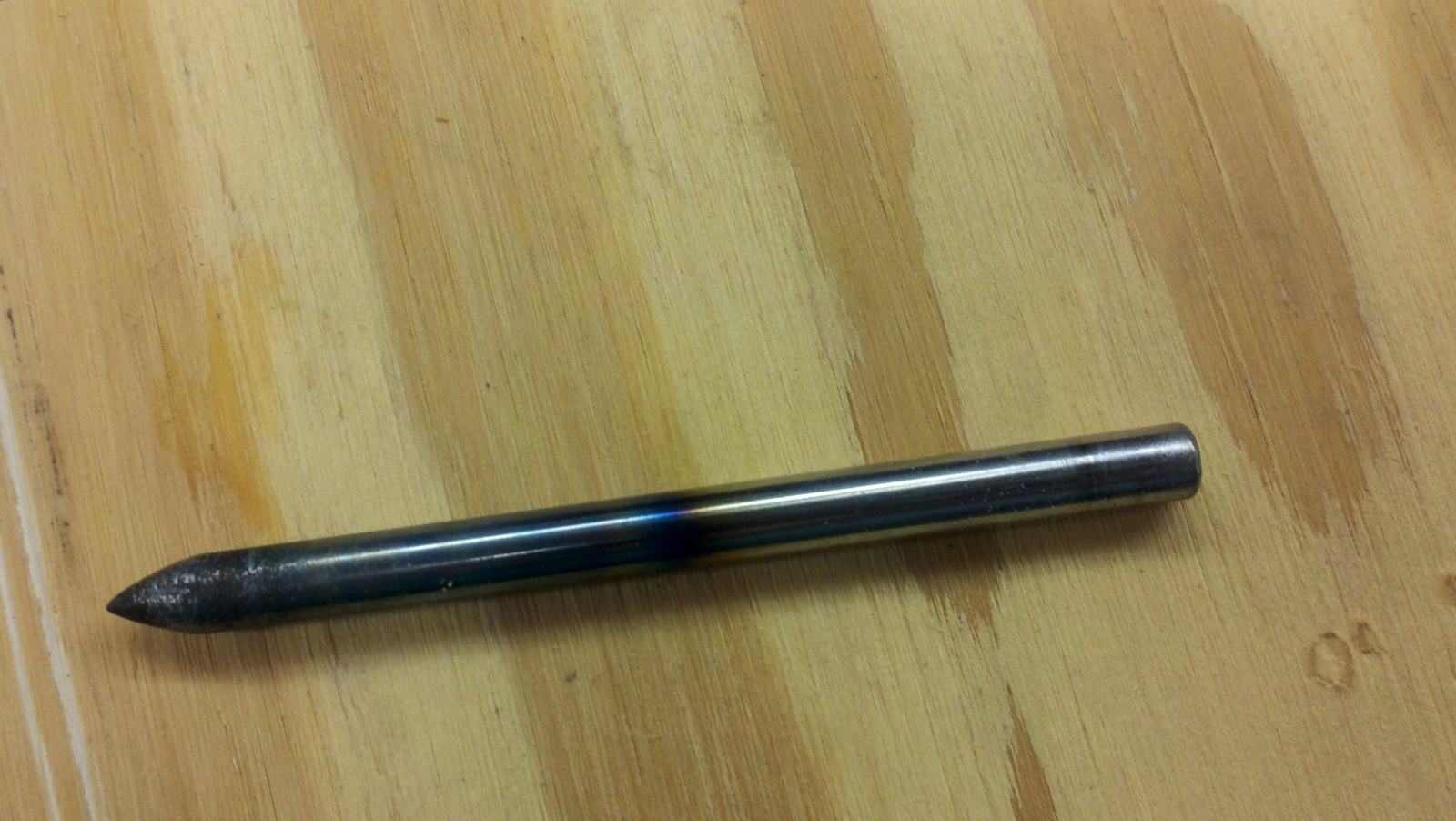
1/4″ diameter W1 tool steel rod (water hardened) was cut down to about 3.5 inches long. Being that I don’t have a metal lathe, I improvised by chucking the metal into my drill and grinding it on the grinder – while spinning. This resulted in a fairly uniform (albiet scratched) conical point. We wire brushed it a bit on the grinder to smooth it out, and then took it over to the other side of the shop for heat treatment.
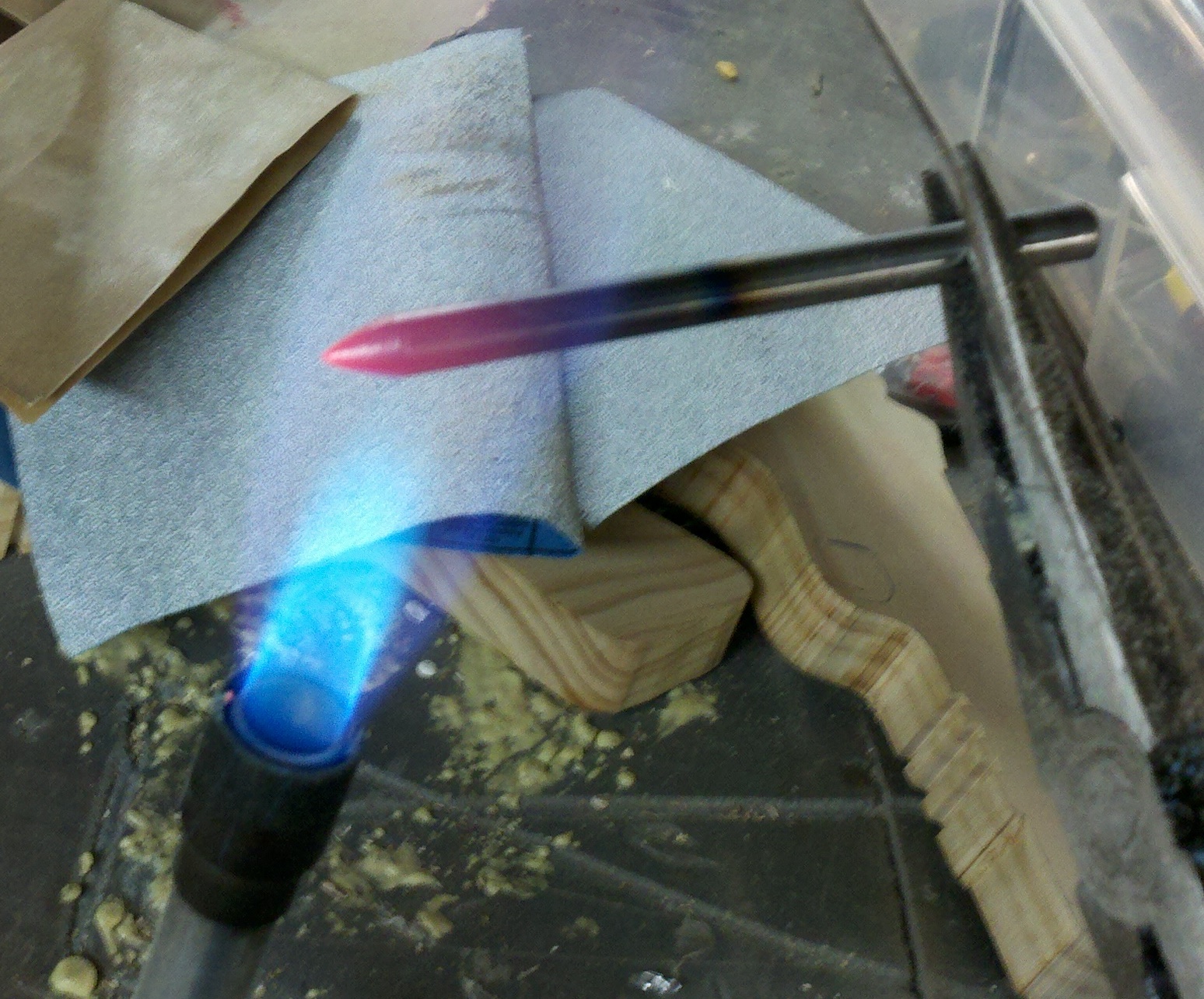
This casual approach to tempering worked well for our purposes. We heated the metal red hot (just the end) and dunked it in cold water. Then we polished it up a little bit.
In informal tests, this made it REALLY hard. If I placed a nail against the top end and banged it, it would scratch the punch. If I placed a nail agains the bottom (hard) end and banged it, it would flatten the nail without even marking the surface of the punch.
Also, the punch would reliably put small holes in a cast-iron vice and other metal without any noticeable deformation. Nice!
Here is the pictures:
(Fire extinguisher was about 2 feet to the left, in case you were wondering!)

 The Gahooa Perspective