Simulating ENUM in PostgreSQL using CHECK expression

PostgreSQL is a very powerful database. One of the things that seems missing when moving from MySQL is the ability to simply create an enumeration. ENUM is nice when you have a programmatically-semantic set of values for a field.

In PostgreSQL, you have several choices. But one simple one is to create a Check expression, like follows. Skip the IS NULL part if you don’t want the field nullable.

ALTER TABLE 
   "public"."CallCenter_Transfer"
ADD CONSTRAINT 
   "CallCenter_Transfer_TransferStatus"
   CHECK (
      "TransferStatus" IS NULL 
       OR 
      "TransferStatus" = ANY(ARRAY['TransferComplete', 'TransferFailedNoAnswer', 'TransferFailedProspectLost'])
      )

nginx + apache + mod_wsgi + python: how to make dynamic pages expire

When writing dynamic web applications, we use nginx as a front-end web server and apache+mod_wsgi as an application server.

It is the job of nginx to:

  1. Handle SSL, and domain-level rewriting/redirects
  2. Handle static content (.jpeg, .png, .css, .js, .txt, .ico, .pdf, etc….)
  3. Handle dynamic downloads through X-Accel-Redirect
  4. Proxy other requests to apache
  5. Set the proper cache-control and expires headers on content

Ever run into the situation where you click log out, and then click the back button, and are still able to see the pages!  That is bad.   They are dynamic pages anyway, and should not be cached.

However, images, etc… SHOULD be cached. It is important that any references to images have a way to invalidate the cache. We append a number as a query string:

/path/to/script.js?192012129

This number is updated from time to time (via Python variable) when we need to invalidate the cache.

Anyway, here are some helpful nginx configuration directives.

# Send static requests directly back to the client
location ~ \.(gif|jpg|png|ico|xml|html|css|js|txt|pdf)$
{
    root  /path/to/document/root;
    expires max;
}

# Send the rest to apache
location /
{
    add_header Cache-Control 'no-cache, no-store, max-age=0, must-revalidate';
    add_header Expires 'Thu, 01 Jan 1970 00:00:01 GMT';
    proxy_pass http://127.0.0.1:8123;
}

Why you should consider using the IUS Community Project

From http://iuscommunity.org/

“The IUS Community Project is aimed at providing up to date and regularly maintained RPM packages for the latest upstream versions of PHP, Python, MySQL and other common software specifically for Redhat Enterprise Linux. IUS can be thought of as a better way to upgrade RHEL, when you need to.”

Our Perspective at AppCove

http://www.appcove.com/yumrepo/

Imagine being able to combine the rock-solid stability of RedHat Enterprise Linux (or Oracle, Centos, Scientific) with the latest versions of popular software packages like PHP, Python, MySQL, mod_wsgi, redis, and others? The IUS Community Project is the answer.

Enterprise Linux is great for the stability, security, and compatibility. But sometimes you need a newer version of an installed package, like Python. At the time of this writing, RedHat is still not providing any standard way to obtain Python 3.2, MySQL 5.5, or PHP 5.4, years after they have been released.

The IUS Community project has provided AppCove, Inc. and all of our clients the perfect mix of stability and functionality. IUS has enabled us to focus on our core competencies (software development) while being confident that the packages we use are as secure and up-to-date as possible.

Our confidence in the IUS team is second to none. AppCove has worked in close conjunction with the IUS team on several occasions, and they have always been impeccably experienced, knowledgeable, and professional.

We highly recommend that any users of RedHat Enterprise Linux, Oracle Enterprise Linux, Scientific Linux, or Centos Linux take a close look at the IUS Community Project for their servers.

How to upgrade ImageMagick on RedHat Enterprise Linux 5

ImageMagick 6.2.8 comes with RHEL5.  This is pretty ancient in terms of being able to do some more advanced manipulations, like -kerning, -distort, etc…

As it turns out, ImageMagick publishes their own RPM for RHEL.  But if you try to just install it directly, you get something like this:

[root@boss ~]# rpm -Uvh http://www.imagemagick.org/download/linux/CentOS/x86_64/ImageMagick-6.7.9-6.x86_64.rpm
Retrieving http://www.imagemagick.org/download/linux/CentOS/x86_64/ImageMagick-6.7.9-6.x86_64.rpm
error: Failed dependencies:
libHalf.so.4()(64bit) is needed by ImageMagick-6.7.9-6.x86_64
libIex.so.4()(64bit) is needed by ImageMagick-6.7.9-6.x86_64
libIlmImf.so.4()(64bit) is needed by ImageMagick-6.7.9-6.x86_64
libImath.so.4()(64bit) is needed by ImageMagick-6.7.9-6.x86_64
libfftw3.so.3()(64bit) is needed by ImageMagick-6.7.9-6.x86_64
libgs.so.8()(64bit) is needed by ImageMagick-6.7.9-6.x86_64
libjasper.so.1()(64bit) is needed by ImageMagick-6.7.9-6.x86_64
liblcms.so.1()(64bit) is needed by ImageMagick-6.7.9-6.x86_64
libltdl.so.3()(64bit) is needed by ImageMagick-6.7.9-6.x86_64
liblzma.so.0()(64bit) is needed by ImageMagick-6.7.9-6.x86_64
librsvg-2.so.2()(64bit) is needed by ImageMagick-6.7.9-6.x86_64
libwmflite-0.2.so.7()(64bit) is needed by ImageMagick-6.7.9-6.x86_64

The answer is – use yum to take care of it:

As root, download the correct RPM from the ImageMagick site.  Then uninstall the system ImageMagick.  Then install this one.

http://www.imagemagick.org/script/binary-releases.php

wget http://www.imagemagick.org/download/linux/CentOS/x86_64/ImageMagick-6.7.9-6.x86_64.rpm
yum erase ImageMagick</p><p>yum install --nogpgcheck ImageMagick-6.7.9-6.x86_64.rpm

Note: because the version # is beyond the one shipped with RHEL, it will not be updated automatically.  You will need to monitor ImageMagick for security updates and install them yourself.

Note: this is not recommended — replacing a RHEL package.  But sometimes it is needed.

wget http://www.imagemagick.org/download/linux/CentOS/x86_64/ImageMagick-6.7.9-6.x86_64.rpm
yum erase ImageMagick
yum install --nogpgcheck ImageMagick-6.7.9-6.x86_64.rpm

Restoring a Driveway

As part of an utility easement I negotiated with an adjacent property owner, we agreed that I would improve his driveway using fill from my property.

This took hundreds (if not thousands) of tons of dirt and rock to complete.  Nice!

Another excellent project completed by Simondale Excavating from Tyrone, PA.


Before:


After:


Plain to Pretty: Rubber Band Gun #6 Anodized

Gord over at Gord’s Garage has been busy with home-based anodizing.  It’s some amazing stuff he is doing. I sent him one of the rubber band gun assemblies, and he did an amazing job on it.

In an incredible amount of detail, Gord has written up and photographed the whole process:

http://gordsgarage.wordpress.com/2011/11/21/the-full-monty-part-1/

http://gordsgarage.wordpress.com/2011/11/22/the-full-monty-part-2/

In summary, it went from this mill finish:

To this polished finish:

To this anodized finish:

Amazing!


Apple Mac OSX Mouse Jumping Every Second!

All of a sudden today, my the mouse cursor started jumping to the exact same spot on the screen (near top-right) every second.  I could move it for up to a second, but it would jump back.

I have a Logitech mouse.  Unplugged it.  Still does it.

Restarted computer.  Still does it.

Tried Magic Mouse.  Still does it.

Gaa!!!

Found a forum post https://discussions.apple.com/thread/1829111?start=0&tstart=0

Someone mentioned Wacom tablet.  Yes!  I have a Bamboo Drawing Tablet on the side of my desk.  Someone bumped the pen so it was setting on the tablet.  Each second, it was moving to the position dictated by the pen on the tablet.

Moved the pen.

Everything works.

Hope someone finds this and saves them a headache or 3!

Designing a better Lime Squeezer

From time to time we host a get-together or party where we feature fresh squeezed limeade as the main beverage.  We have universally heard 5-star feedback from people who have had this simple but good drink.

The problem is, squeezing enough limes for a party of 60+ people takes a lot of time (and limes).  After about the fifth lime the first time… I had enough!

I went down to the shop and built a simple but powerful hinged wooden squeezer about 3′ long.  It looked like two canoe oars with a hinge holding them together.  With this contraption, a suitable helper (Eli), and a big stainless steel bowl, we could really crank out the lime juice (gallons).

Since using that a number of times, I’ve thought of some improvements I’d like to make, eventually ending in a fabricated stainless steel mechanism that is easy to use, powerful, and helpful.  The force applied to the lime should be compounded at the end of the squeeze cycle, taking full advantage of maximum leverage to get the last drops out (less waste, less fatigue).

Using the power of four-bars, I’m working up a Solid Works model which should meet most of the above criteria.  I think we will soon build a prototype out of maple, which is a very hard wood.

Here is a picture of it “open”:

Here is a picture of it “Closed”:


Making a punch; heat treating tool steel

About Tempering Metal  (how I explain it to kids):

The little metal guys normally stand at attention in rows — millions of them (molecules).  When you heat them up red hot, they start dancing and get all mixed up and out of order; not in rows any more.  When you cool them down, they get back into nice neat rows.

However, when you cool them off really fast by dipping in cold water, they get frozen before they can get back into nice neat rows!

If the metal guys are in nice neat rows, and you push on a row really hard, they can all move sideways.  But if they are all mixed up, it’s hard for them to move any way.  

This makes the metal really hard.


As part of Ezra’s box project, he needed to countersink the nails into the plywood.  I should have one, but I don’t have a countersink handy that would do the trick.

So we made one!

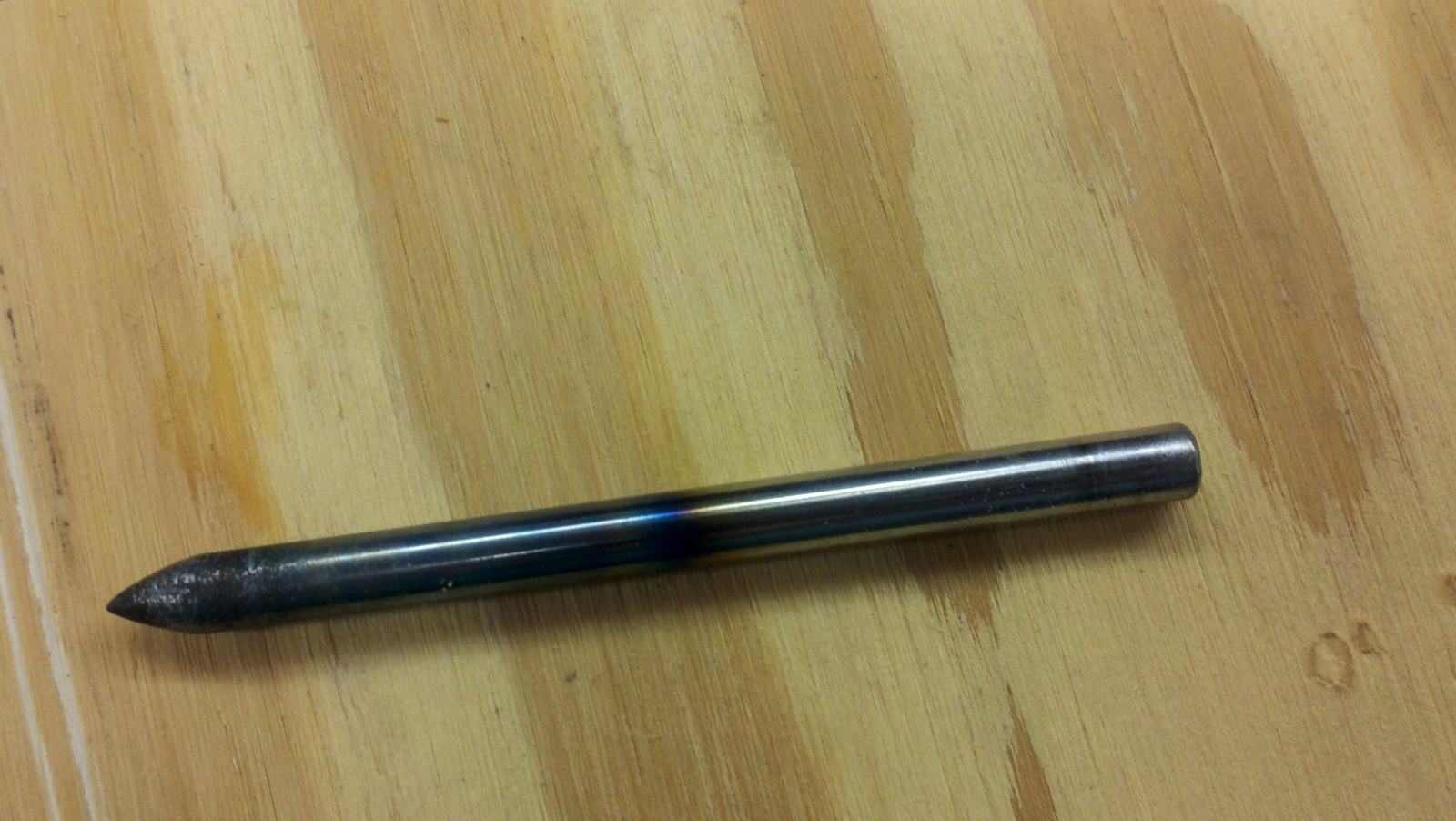
1/4″ diameter W1 tool steel rod (water hardened) was cut down to about 3.5 inches long.  Being that I don’t have a metal lathe, I improvised by chucking the metal into my drill and grinding it on the grinder – while spinning.  This resulted in a fairly uniform (albiet scratched) conical point.   We wire brushed it a bit on the grinder to smooth it out, and then took it over to the other side of the shop for heat treatment.

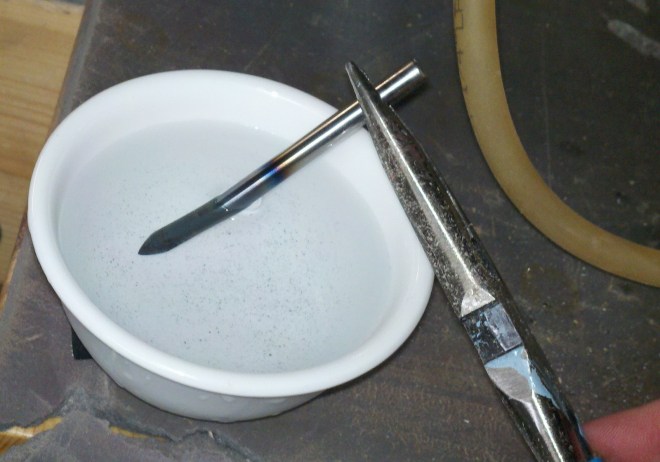
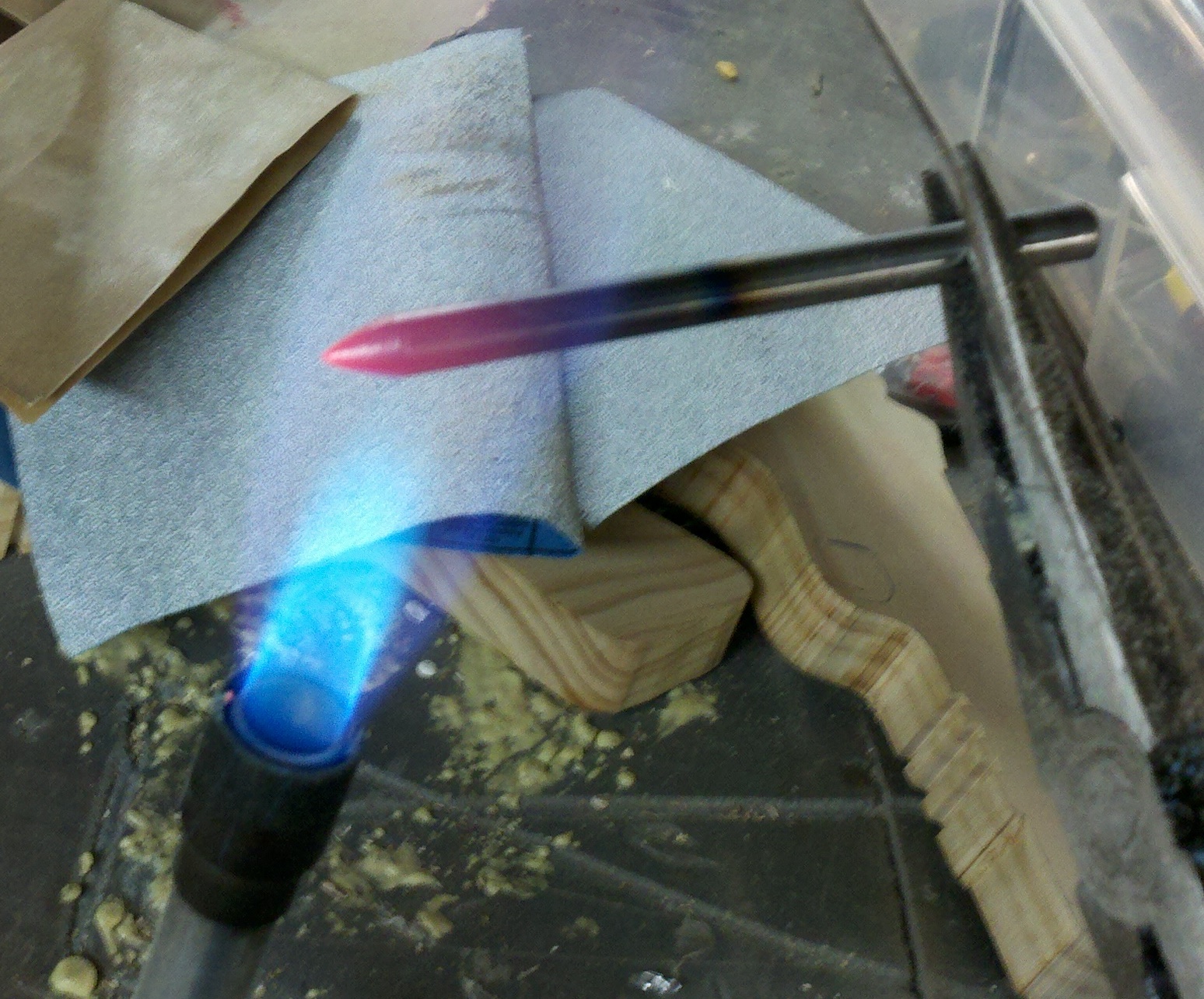
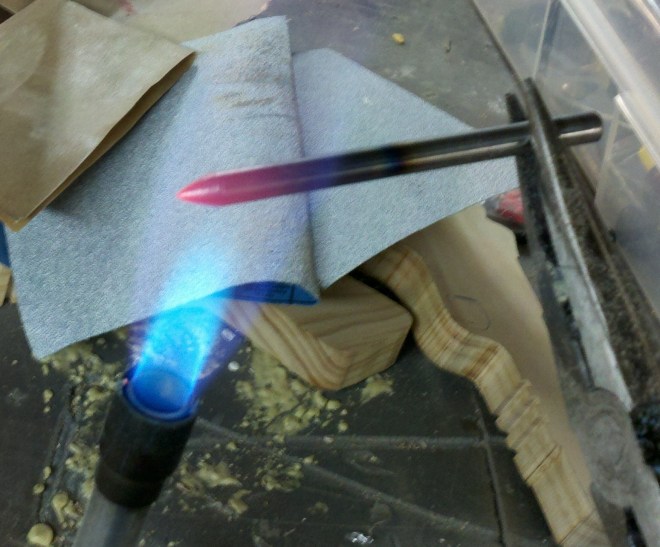
This casual approach to tempering worked well for our purposes.  We heated the metal red hot (just the end) and dunked it in cold water.  Then we polished it up a little bit.

In informal tests, this made it REALLY hard.  If I placed a nail against the top end and banged it, it would scratch the punch.  If I placed a nail agains the bottom (hard) end and banged it, it would flatten the nail without even marking the surface of the punch.

Also, the punch would reliably put small holes in a cast-iron vice and other metal without any noticeable deformation.  Nice!

Here is the pictures:

(Fire extinguisher was about 2 feet to the left, in case you were wondering!)


git checkout -b –no-track

Ever want to checkout a new git branch from another branch without setting up tracking?

Here is the longhand way:

git checkout old-branch
git branch new-branch
git checkout new-branch

But there is a quicker way:

git checkout -b new-branch old-branch

… which does the same thing, albiet in one command.