Home School Software in Production Use!

Just an update on the use of our Home School software package…  So far, we have entered 216 activities with 462 images/scans across 13 projects, 12 subjects, and 4 students.

Nearly all of the photographs we take are with the Motorola Droid X.  Provided you have sufficient light, the quality is very acceptable.

Here is one of the latest activities recorded:

Fun with Arduino

Ok, so if you haven’t heard about it, Arduino is a really cool piece of “open source hardware”.  In simple terms, it is a single board computer with a number of analog and digital inputs and outputs, that can be programmed from your computer, but run independently.

Arduino is an open-source electronics prototyping platform based on flexible, easy-to-use hardware and software. It’s intended for artists, designers, hobbyists, and anyone interested in creating interactive objects or environments.

I recently got this starter kit from Amazon.com:

And have since been playing with making different circuits, etc… It has been a good experience in working with lower level electronics (ohm’s law, etc…)

Hope to post more soon!

Home School Software: Inventory Tracking

Ever lose track of how much flour, sugar, milk, eggs, soap, razors, spices, motor oil, filters, nails, screws, glue, paper, staples, etc… you have on hand?

Ever shop based on hunger, rather than diciplined restocking?

Ever want to have an inventory of groceries at your house, so you don’t have to run to the store for everything?

Our objective is to keep consistent inventory levels of common products around the house, so we never run out of things that we should have on hand.  To that end, I’ve been adding some basic household inventory tracking data to the Home School software.  It has (or will have) the following features:

  • Areas — places that you store products (freezer, basement shelves, kitchen, bathroom, etc…)
  • Items — each “thing” that you want to keep in a given area (flour, sugar, toothpaste, etc)
  • Units — lbs, each, bottle, roll, case, etc…
  • Min Quantity — minimum amount to have on hand
  • Max Quantity — max quantity to have on hand
  • Check every [] days — how often should this item be checked?

From that data, you will be able to pull the following information out of the system:

  • All items and current inventory levels
  • Graphs of inventory levels over time
  • Which items (sorted by area) need checked now
  • What needs refilled (eg, the container of sugar in the kitchen, from the big bags in the basement)
  • What needs purchased (40 eggs, 24 rolls of TP, 10 lbs of sugar)

You will be able to pop on, print out a list of items that need inventoried, and hand it to the kids with a pencil and clipboard to go about filling out how much there actually is.  Excellent math practice, especially if you deal in raw units like oz, lbs, quarts, etc… — the students will have to add/multiply/convert the units that are on the items they are counting.

For Example, you could specify that you want 4 bottles of dish soap around, or 96 ounces of dish soap around.  The difference is that they will need to multiply 24 oz per bottle * 3 bottles on hand = 72 ounces — time to buy another bottle.

Here are some early screen shots:


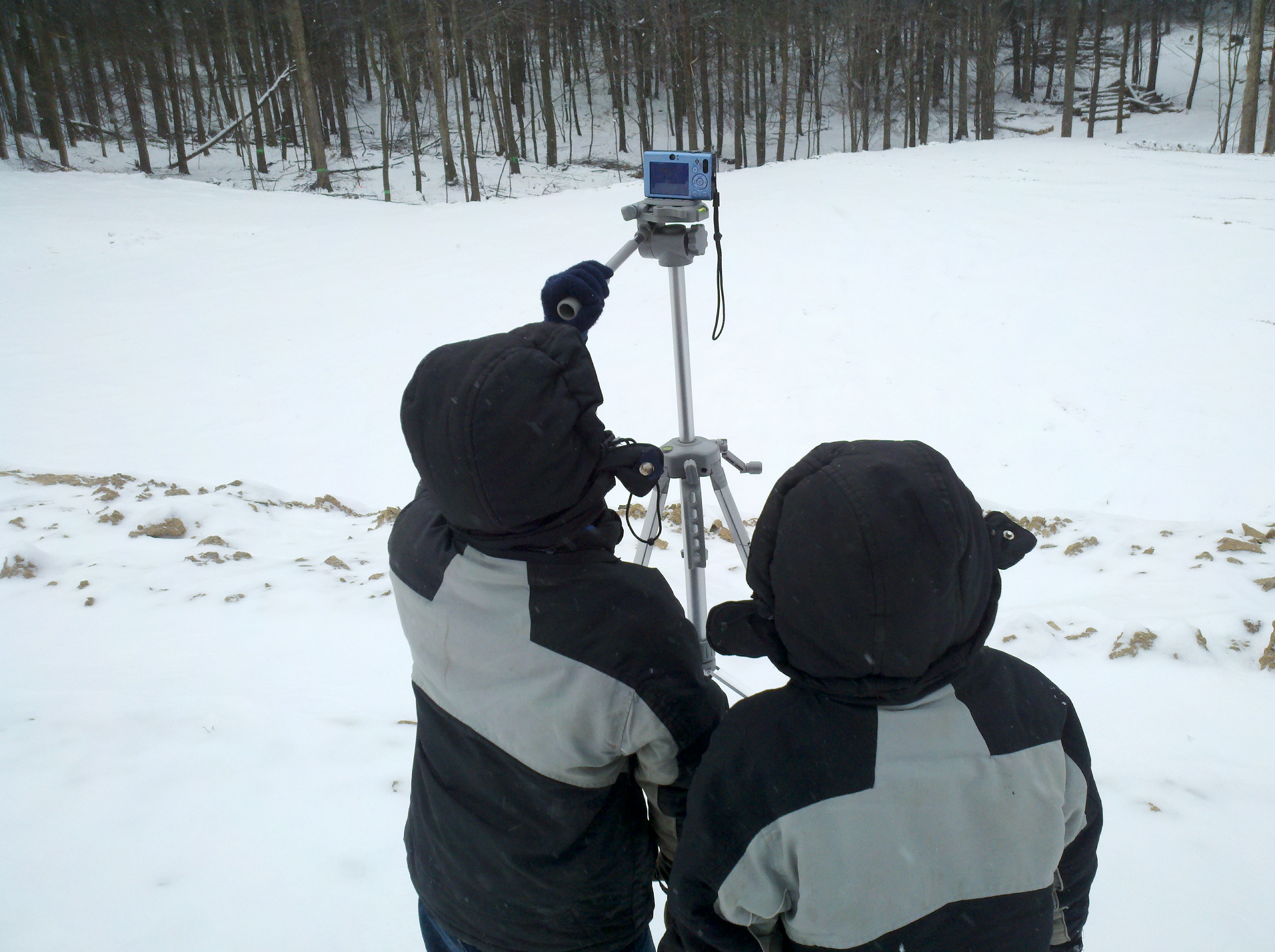
Panoramic of Winter Scene

This one was comprised of about 87 overlapping photographs.

Eli took his new tripod, on a bitter cold day, and set it up on the “top tier” of cleared ground, capturing about 270 degrees of the scene.

Again, we used Hugin to stitch it together.

(click image to see full size version)


The cameramen at work…


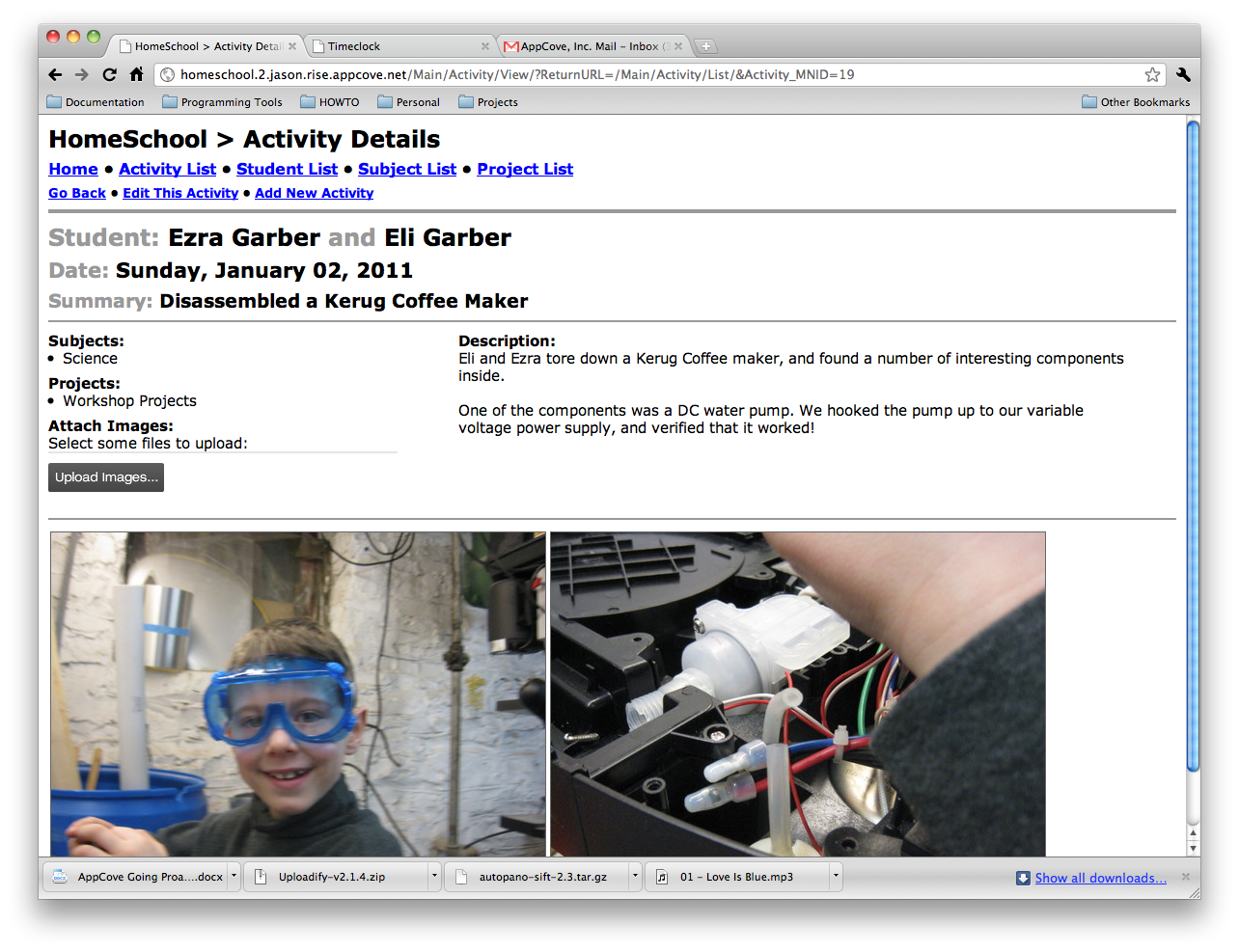
And lastly, here is the recorded “activity” in the new Home School software.

Home School Software now supports Images!

Today I got to a great milestone with the homeschool software I discussed here.  It now has excellent image support.

For every activity, you can attach an unlimited number of images.  They are stored in the database with all of the other data, so it’s easy to backup.  Also, I am using ImageMagick to resize them into various preview sizes for quick speeds while working with them.

I used uploadify to power the image uploader and ImageMagick to resize them into preview sizes.

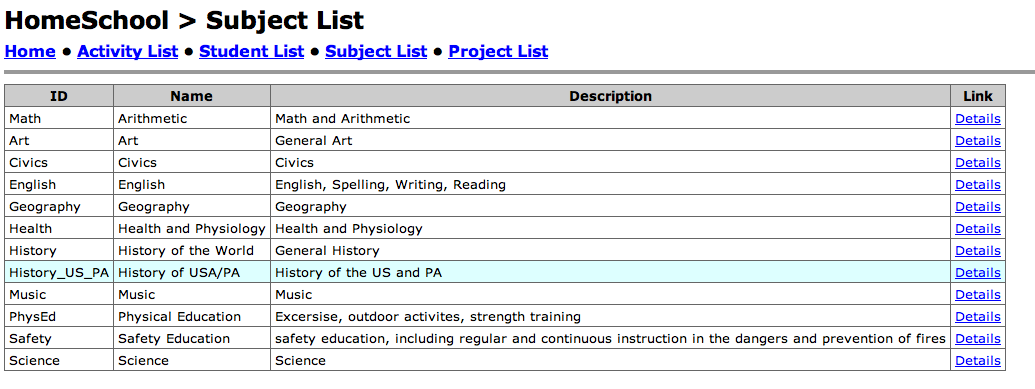
Here is a screen shot of the list page:

And a screen shot of the details page:

Home School Software, Anyone?

2010-2011 was the first year that we were required by PA law to report our schooling activities to the Altoona Area School district.  (simply because our oldest turned 8)

Naturally, the topic of Log and portfolio came up needing solved.

Having been home educated as a child, I recall the massive effort it took to remain organized enough to be able to assemble a really good portfolio at the end of the year.  Also, the log book needed to be throughly kept to provide record of education activities.

Here is a brief list of items that need improved:

  1. Portfolios typically are assembled at the end of the year, which requires a lot of effort.
  2. There is only one copy of a portfolio.
  3. They are a bit kludgy, having a mix of all sorts of media (photos, papers, art, etc…)
  4. They are not searchable
  5. They are not sortable
  6. They are not printable
  7. They are not email-able
  8. They are not backup-able
  9. They typically show only the “best” work, by virtue of what they are (depends on the assembler)
  10. They are separate from the log of the actual activities
  11. Etc…

Well, after a lot of here and there, I decided we needed a database.  So my wife and I designed a database that would handle a number of aspects:

  1. Multiple Students
  2. Subjects as required by law
  3. Projects that are a part of schooling
  4. Activities and Events
  5. Dates
  6. Summaries
  7. Descriptions
  8. Scanned documents
  9. Photographs
  10. PDF files

The ultimate goal is to be able to send off for a printed book with the above content, and turn that into the school district.

I thought that a web interface would be appropriate.  So here is where I am at after a couple days of tinkering around…


If anyone expresses interest in seeing more of this, post a comment.

Thanks!


Test Post with ecto

I’m making a test post with ecto. Ecto is desktop publishing solution for the Mac platform, which works with wordpress among others.

For starters, here is a picture:
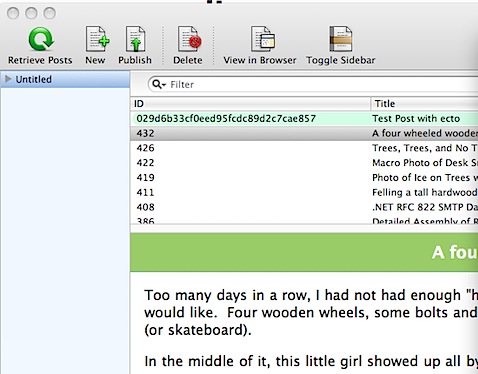
201012022310.jpg

And here is some source code:


def Select(Account_MNID):
  return App.DB.Row(”’
SELECT
“Account_MNID”,
“Name”,
“CreateDate”,
“ChangeDate”,
“Address1”,
“Address2”,
“Address3”,
“City”,
“State”,
“Zip”,
“Country_MSID”,
“Phone”,
“Fax”,
“Email”,
“Note”,
“Perm_Active”
FROM
“ACRM”.”Account”
WHERE true
AND “Account_MNID” = $Account_MNID
”’,
    Account_MNID = Account_MNID
    )

It is important to me that code shows up correctly once posted. For clarity, I will take a screenshot of the code…

201012022313.jpg

Lastly, I need to see what happens when I post a high quality photo from my desktop…

I did this one by dragging the photo from Finder onto this Ecto window.

2010-11-24_11-13-11_968.jpg

As an edit, I clicked the insert image button, and used a preset to specify 700px wide, but as a thumbnail…. Let’s see.

2010-11-24_11-13-11_968.jpg

Ok, good side… Pictures and text seem to flow pretty well. Bad side… Code formatting was lost. I should try wrapping it in the [ sourcecode ] wrapper… I’ll do that next…


# vim:encoding=utf-8:ts=2:sw=2:expandtab
import Extruct
import re
import uuid
import hashlib

from .. import App, ACRM
from . import Validate

from AppStruct.Util import *
from datetime import date

Insert_Validate = App.GetHook(‘CCRM.Account.Insert_Validate’)
Insert_Execute = App.GetHook(‘CCRM.Account.Insert_Execute’)

#============================================================================

def Select(Account_MNID):
  return App.DB.Row(”’
SELECT
“Account_MNID”,
“Name”,
“CreateDate”,
“ChangeDate”,
“Address1”,
“Address2”,
“Address3”,
“City”,
“State”,
“Zip”,
“Country_MSID”,
“Phone”,
“Fax”,
“Email”,
“Note”,
“Perm_Active”
FROM
“ACRM”.”Account”
WHERE true
AND “Account_MNID” = $Account_MNID
”’,
    Account_MNID = Account_MNID
    )

For sourcecode, I guess I’m still stuck editing the HTML.

Look at the markup that was generated with a simple copy/paste from Github…
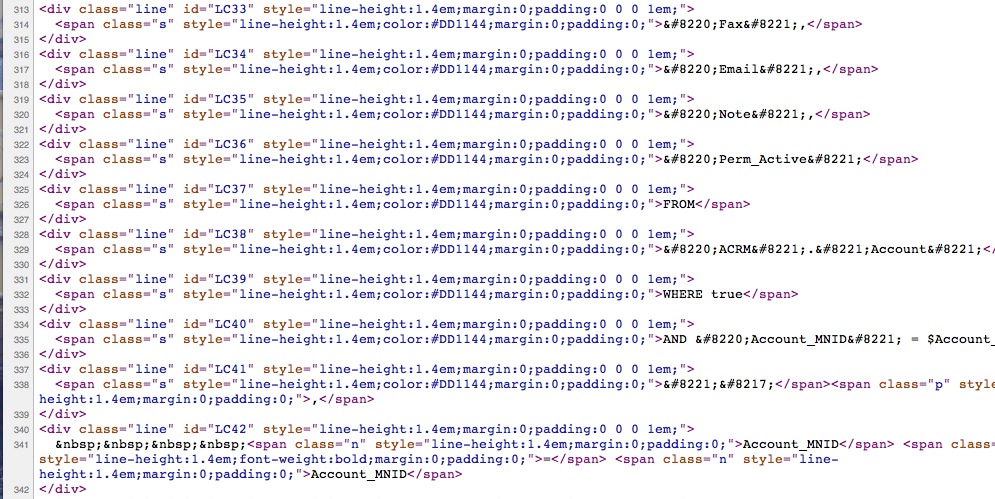
201012022333.jpg

What is the best way to post source code examples?

How to force-drop a postgresql database by killing off connection processes

Ever need to drop a postgresql database, but it would not let you because there are open connections to it (from a webapp or whatever)?

Quite annoying.  If on a production server, and other databases are being used, restarting postgresql is a last resort, because it generates downtime for your site (even if small).

I finally took the time to scratch around and find the answer.

As a super user, to list all of the open connections to a given database:

select * from pg_stat_activity where datname='YourDatabase';

As a superuser, to drop all of the open connections to a given database:

select pg_terminate_backend(procpid) from pg_stat_activity where datname=’YourDatabase’;

Or for 9.x, change `procpid` to `pid`

select pg_terminate_backend(pid) from pg_stat_activity where datname='YourDatabase';

Here are some references to the functions:

http://www.postgresql.org/docs/current/static/functions-admin.html#FUNCTIONS-ADMIN-SIGNAL-TABLE

http://www.postgresql.org/docs/8.4/static/monitoring-stats.html#MONITORING-STATS-VIEWS-TABLE