I took this today and thought it was quite majestic.
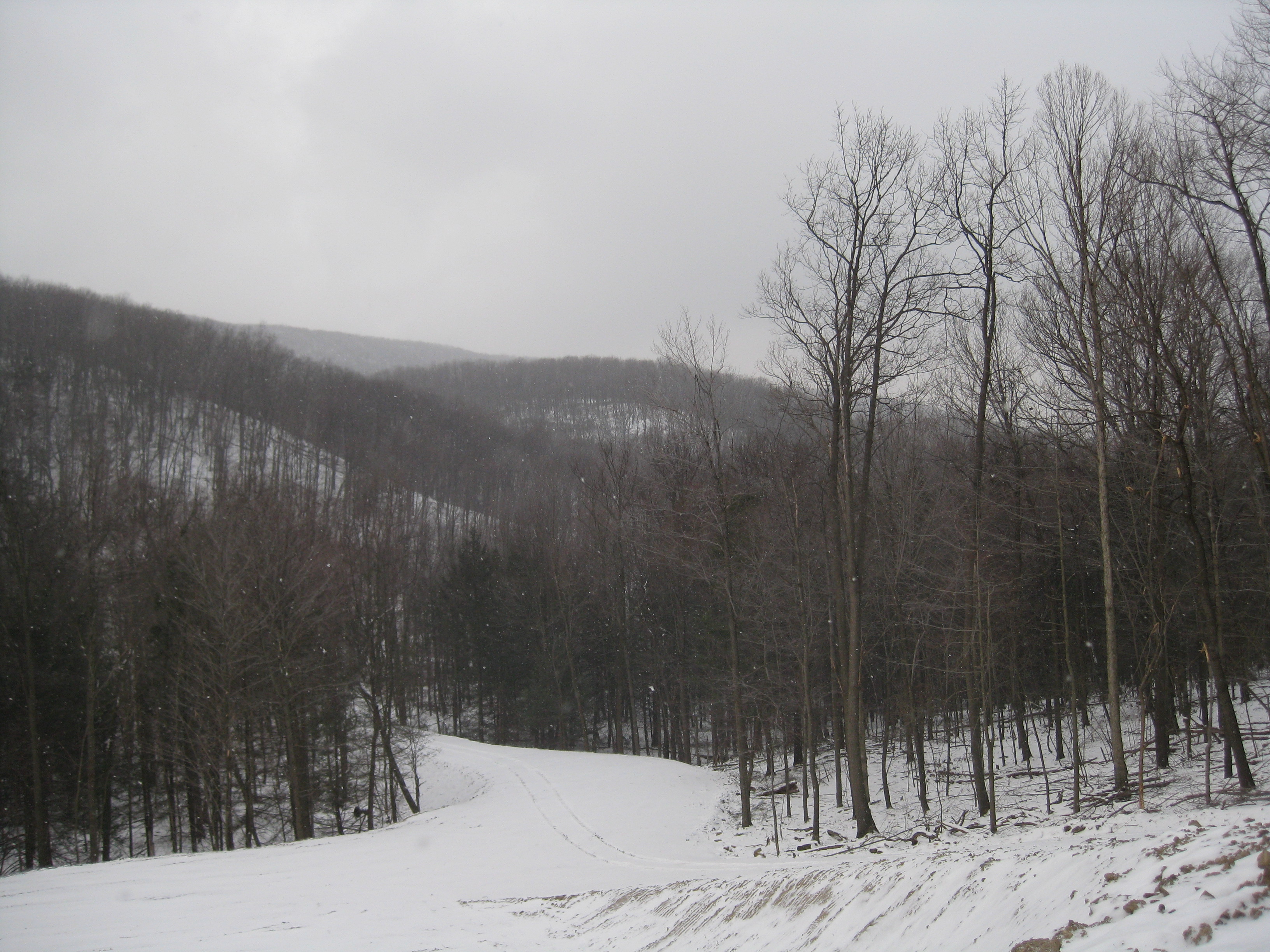

I took this today and thought it was quite majestic.
This one was comprised of about 87 overlapping photographs.
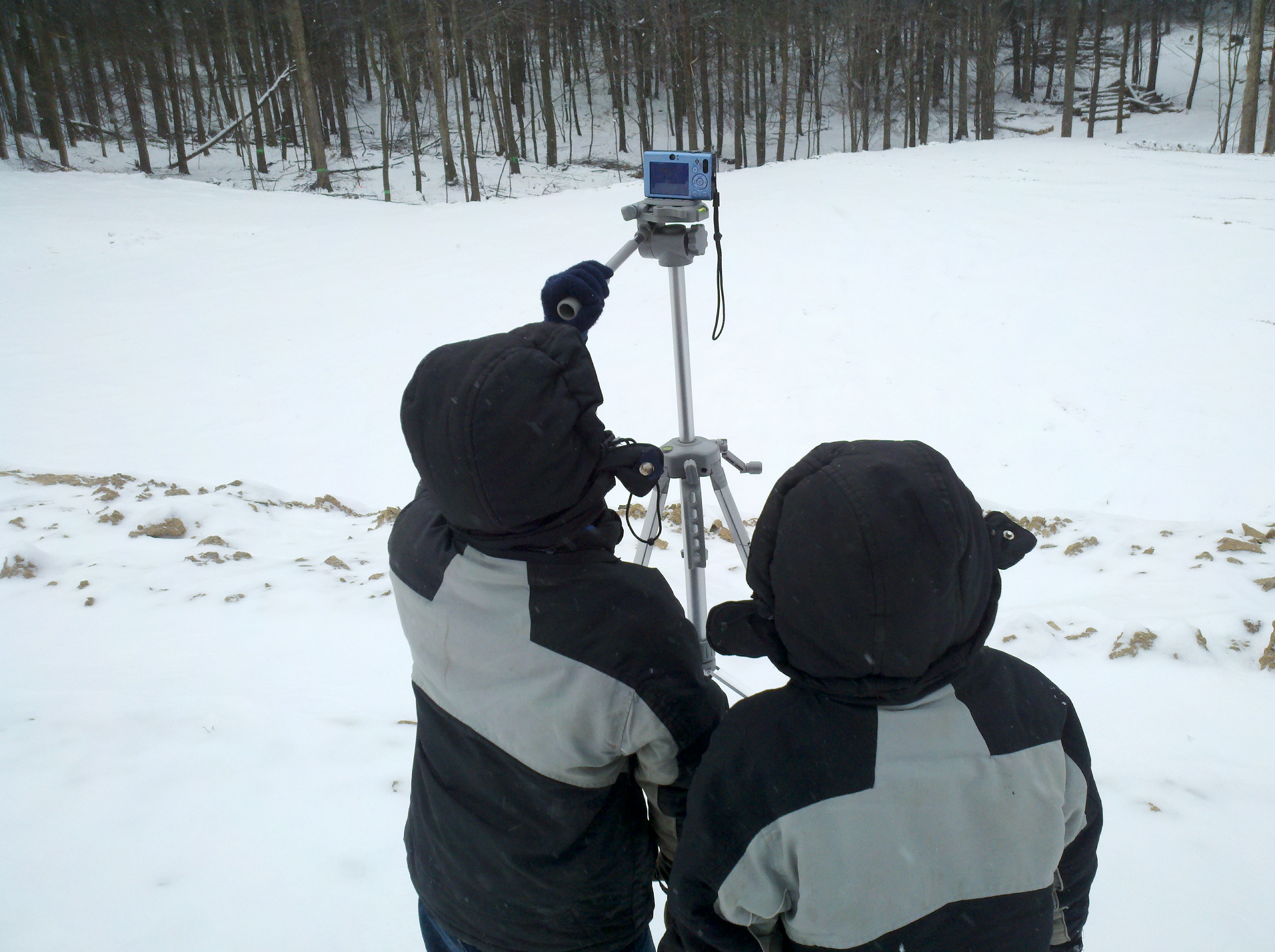
Eli took his new tripod, on a bitter cold day, and set it up on the “top tier” of cleared ground, capturing about 270 degrees of the scene.
Again, we used Hugin to stitch it together.
(click image to see full size version)

The cameramen at work…

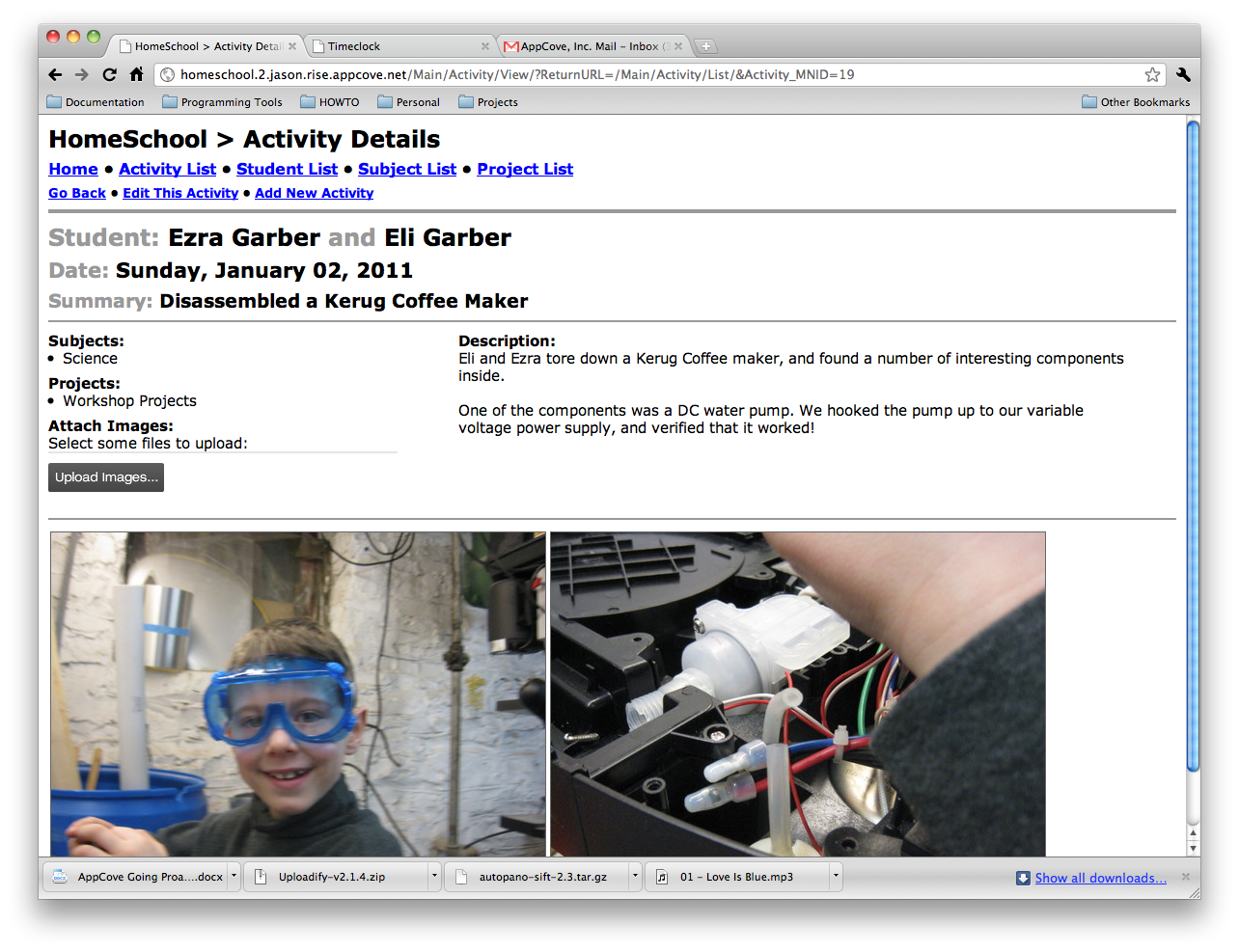
And lastly, here is the recorded “activity” in the new Home School software.

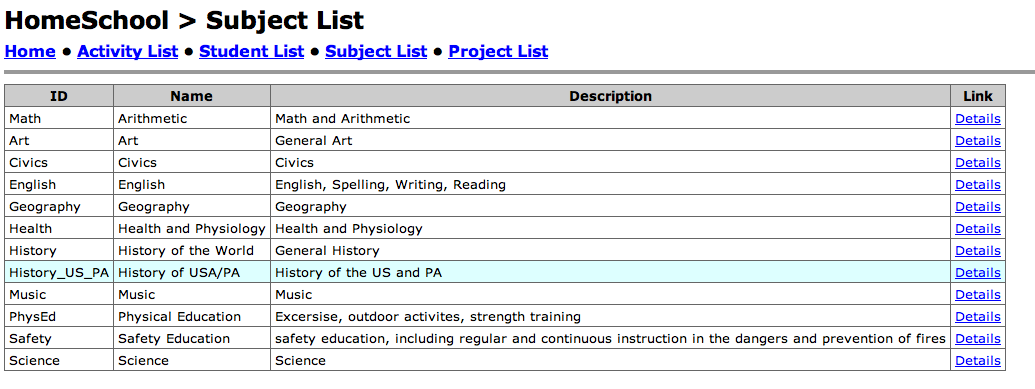
Today I got to a great milestone with the homeschool software I discussed here. It now has excellent image support.
For every activity, you can attach an unlimited number of images. They are stored in the database with all of the other data, so it’s easy to backup. Also, I am using ImageMagick to resize them into various preview sizes for quick speeds while working with them.
I used uploadify to power the image uploader and ImageMagick to resize them into preview sizes.
Here is a screen shot of the list page:

And a screen shot of the details page:
I took about 45 photos today, freehand, with Eli’s FinePix point-and-shoot digital camera. The camera isn’t in top shape, and the light of the sun really washed out some of the shots, which was propagated to all shots by Hugin while stitching.
I would imagine that if I knew more about Hugin, that I could prevent some of this.
Regardless, it’s a pretty cool picture. Zechariah is in it, if you can find him!
(make sure you click it and let your browser open it full size)

2010-2011 was the first year that we were required by PA law to report our schooling activities to the Altoona Area School district. (simply because our oldest turned 8)
Naturally, the topic of Log and portfolio came up needing solved.
Having been home educated as a child, I recall the massive effort it took to remain organized enough to be able to assemble a really good portfolio at the end of the year. Also, the log book needed to be throughly kept to provide record of education activities.
Here is a brief list of items that need improved:
Well, after a lot of here and there, I decided we needed a database. So my wife and I designed a database that would handle a number of aspects:
The ultimate goal is to be able to send off for a printed book with the above content, and turn that into the school district.
I thought that a web interface would be appropriate. So here is where I am at after a couple days of tinkering around…



If anyone expresses interest in seeing more of this, post a comment.
Thanks!
This is good, especially when you consider the drawings…

Using the Motorola Droid X, I took about 10 photographs at 5MP, freehand. Then I used Hugin, the open source image stitching software.
I had never stitched images together, but I must say this tool is impressive. The images were all various shades, angles, and since taken freehand, not straight.
However, see the result below…

Simondale Excavating is doing an excellent job of leveling some ground on a hillside. If you need any excavation work in the Altoona/Tyrone/Huntingdon/State College area (or nearby), do not hesitate to call Jim or Matt at (814) 632-8590.
Upon meeting Jim Simondale and Matt Simondale, I was very impressed by their knowledge, demeanor, and interest in my project. I met with them 3 times on site prior to starting this project, and every detail has been covered as discussed.
This may seem like a small thing, but I appreciated that all of their equipment (trucks, excavators, bull dozers, etc…) were newer models, very well maintained, clean (as is reasonable), and had their logo painted neatly across. All signs of being professional.
[As I understand it, they are also do quite a number of septic systems and sand mounds.]
Update: June 2011: Matt and Jim and their crew came out again and did another whole round of grading, moving, and excavating. They built and/or surfaced over 1/4 mile of slate covered roads, dug a pond, corrected some frost damage to earthen banks, and made everything really nice. I thought the price estimate was very fair, and they came in dead on, despite doing a number of extras. Here is an updated photo:
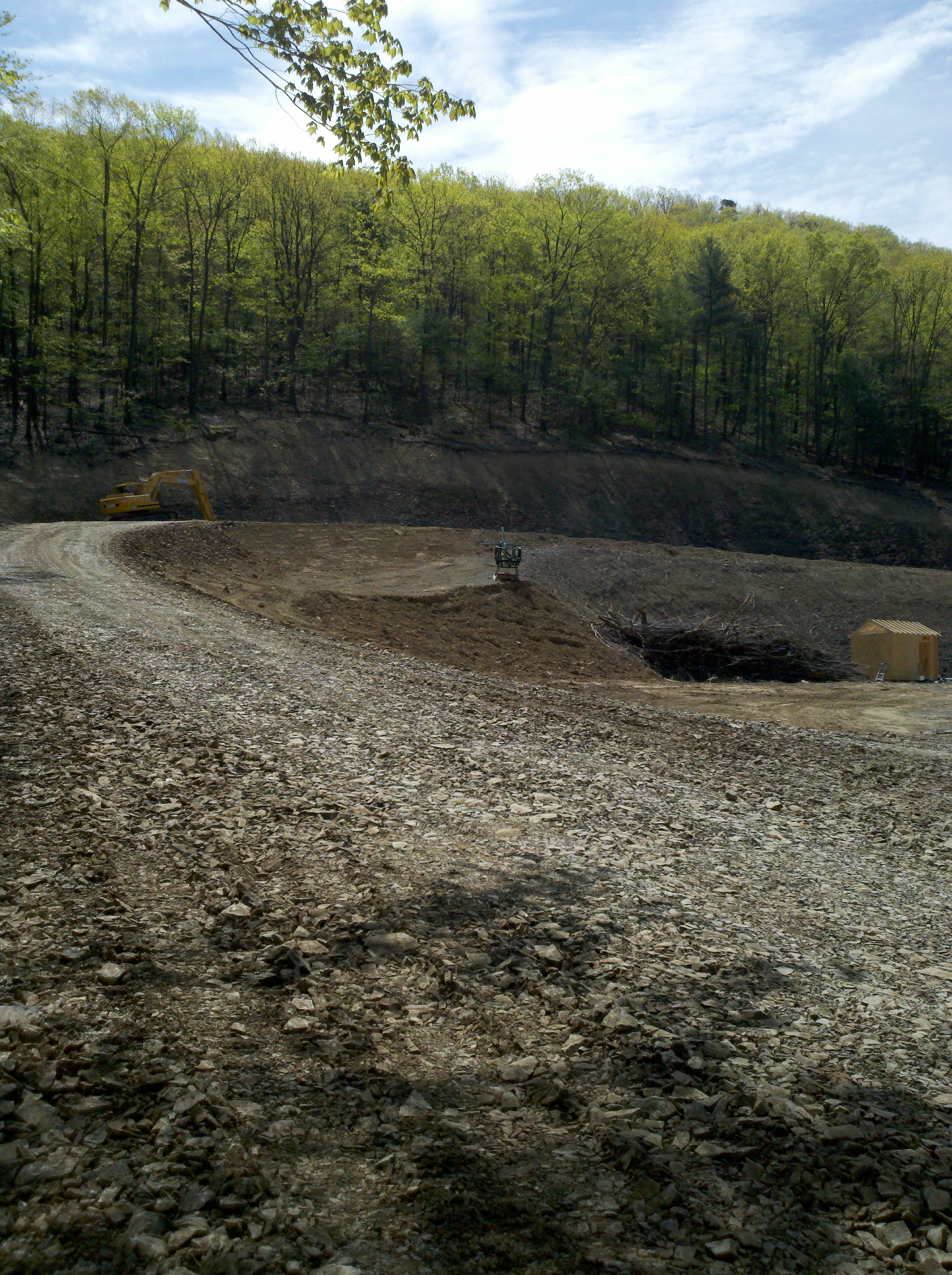
—
Outstanding view from the top of the hill.
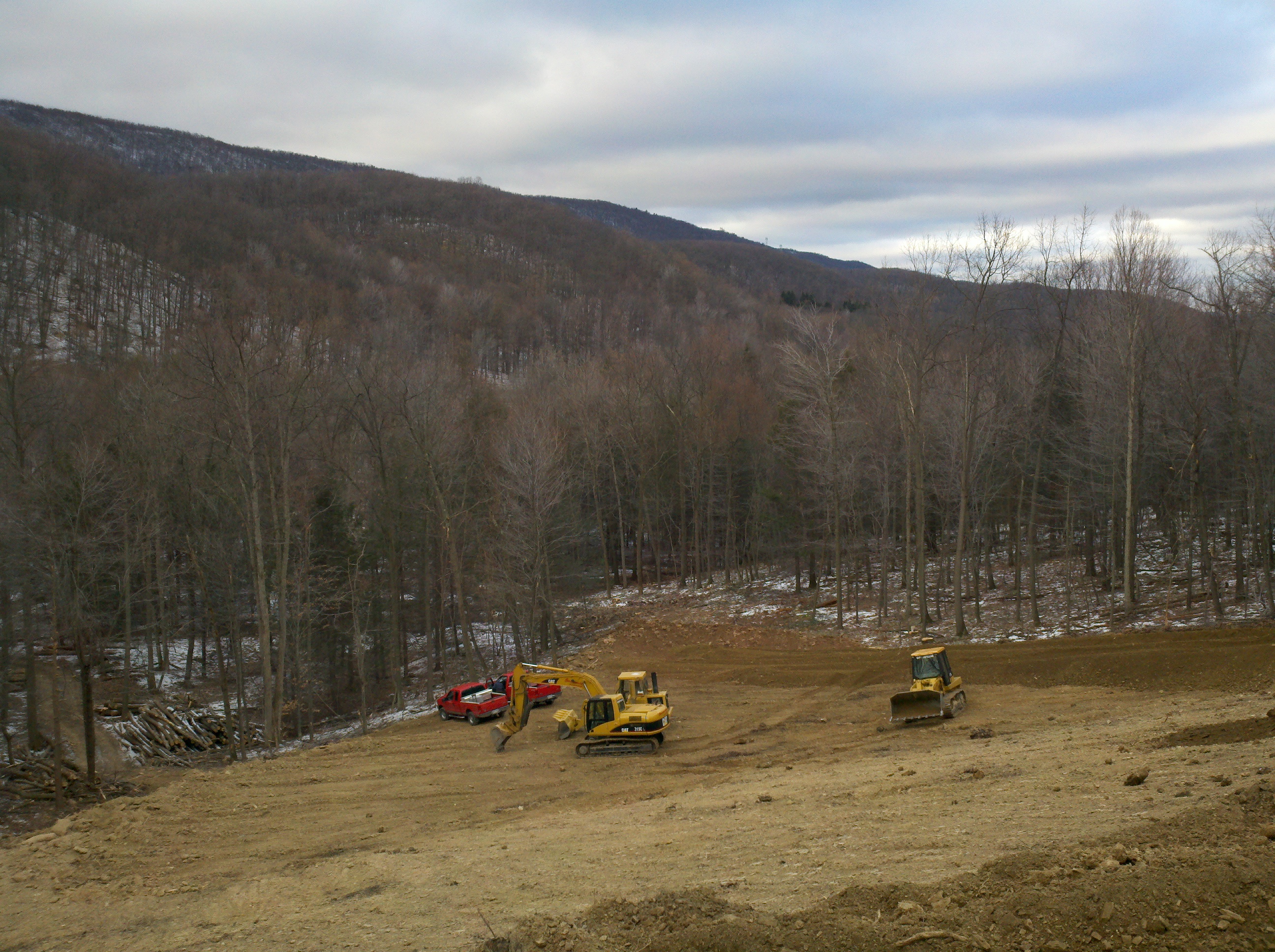
See how nice the grading of the bank is? All done with the large excavator pictured above.

And Mr. Ezra, standing on top of the hill…

DNS stands for “Domain Name Service”. It is the mechanism in which the internet is able to map a name (eg http://www.sgasoftware.com) to an IP address (eg 12.34.56.78).
www.google.com to 72.14.204.99. c:\>tracert www.google.comTracing route to www.l.google.com [72.14.204.99]over a maximum of 30 hops: 1 <1 ms <1 ms <1 ms 192.168.0.1 (our office router/gateway)) 2 1 ms <1 ms <1 ms 10.1.10.1 (our cable modem (another router/gateway) 3 15 ms 13 ms 12 ms 96.179.208.1 4 9 ms 9 ms 10 ms ge-2-20-ur01.blairsville.pa.pitt.comcast.net [68.86.146.165] 5 14 ms 10 ms 9 ms te-9-1-ur01.indiana.pa.pitt.comcast.net [68.86.100.178] 6 10 ms 55 ms 30 ms te-9-3-ur01.punxy.pa.pitt.comcast.net [68.87.173.81] 7 12 ms 18 ms 19 ms te-9-1-ur01.ruralvalley.pa.pitt.comcast.net [68.86.100.122] 8 21 ms 63 ms 53 ms te-6-3-ar01.pittsburgh.pa.pitt.comcast.net [68.87.173.73] 9 28 ms 29 ms 27 ms te-3-1-0-0-cr01.chicago.il.ibone.comcast.net [68.86.90.181] 10 25 ms 28 ms 25 ms pos-1-6-0-0-pe01.350ecermak.il.ibone.comcast.net [68.86.87.130] 11 43 ms 44 ms 44 ms as15169-1.350ecermak.il.ibone.comcast.net [75.149.230.198] 12 48 ms 52 ms 58 ms 209.85.254.130 13 37 ms 39 ms 39 ms 209.85.248.222 14 36 ms 43 ms 41 ms 66.249.94.46 15 42 ms 39 ms 39 ms iad04s01-in-f99.1e100.net [72.14.204.99]Trace complete.11000000.10101000.00000000.00000001, humans find it more convenient to look at it like 192.168.0.1. However, that is still a far cry from a human readable name like mail.domain.com.www.appcove.com. 86400 IN CNAME appcove.com.appcove.com. 86400 IN MX 40 APPCOVE.COM.S9B2.PSMTP.com.appcove.com. 86400 IN MX 10 APPCOVE.COM.S9A1.PSMTP.com.appcove.com. 86400 IN MX 20 APPCOVE.COM.S9A2.PSMTP.com.appcove.com. 86400 IN MX 30 APPCOVE.COM.S9B1.PSMTP.com.appcove.com. 57957 IN NS ns.rackspace.com.appcove.com. 57957 IN NS ns2.rackspace.com.appcove.com. 86400 IN TXT "v=spf1 include:fogcreek.com include:aspmx.googlemail.com ip4:207.126.144.0/20 ip4:64.18.0.0/20 ip4:74.125.148.0/22 ~all"a.root-servers.net. 117655 IN A 198.41.0.4a.root-servers.net. 196594 IN AAAA 2001:503:ba3e::2:30b.root-servers.net. 113829 IN A 192.228.79.201c.root-servers.net. 120655 IN A 192.33.4.12d.root-servers.net. 113757 IN A 128.8.10.90e.root-servers.net. 115554 IN A 192.203.230.10f.root-servers.net. 121256 IN A 192.5.5.241f.root-servers.net. 280321 IN AAAA 2001:500:2f::fg.root-servers.net. 113755 IN A 192.112.36.4h.root-servers.net. 116456 IN A 128.63.2.53h.root-servers.net. 206320 IN AAAA 2001:500:1::803f:235i.root-servers.net. 115856 IN A 192.36.148.17i.root-servers.net. 337685 IN AAAA 2001:7fe::53j.root-servers.net. 119155 IN A 192.58.128.30d.gtld-servers.net. 16131 IN A 192.31.80.30g.gtld-servers.net. 74653 IN A 192.42.93.30f.gtld-servers.net. 111162 IN A 192.35.51.30c.gtld-servers.net. 33590 IN A 192.26.92.30j.gtld-servers.net. 171076 IN A 192.48.79.30a.gtld-servers.net. 2665 IN A 192.5.6.30a.gtld-servers.net. 8352 IN AAAA 2001:503:a83e::2:30i.gtld-servers.net. 78083 IN A 192.43.172.30k.gtld-servers.net. 14957 IN A 192.52.178.30b.gtld-servers.net. 127812 IN A 192.33.14.30b.gtld-servers.net. 168301 IN AAAA 2001:503:231d::2:30e.gtld-servers.net. 29652 IN A 192.12.94.30h.gtld-servers.net. 47519 IN A 192.54.112.30l.gtld-servers.net. 41990 IN A 192.41.162.30m.gtld-servers.net. 42456 IN A 192.55.83.30appcove.com. 172800 IN NS ns2.rackspace.com.appcove.com. 172800 IN NS ns.rackspace.com.www.appcove.com. 86400 IN CNAME appcove.com.appcove.com. 86400 IN A 74.205.111.168I’m making a test post with ecto. Ecto is desktop publishing solution for the Mac platform, which works with wordpress among others.
For starters, here is a picture:
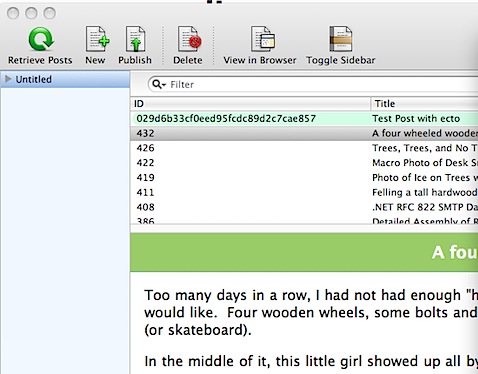
And here is some source code:
It is important to me that code shows up correctly once posted. For clarity, I will take a screenshot of the code…

Lastly, I need to see what happens when I post a high quality photo from my desktop…
I did this one by dragging the photo from Finder onto this Ecto window.

As an edit, I clicked the insert image button, and used a preset to specify 700px wide, but as a thumbnail…. Let’s see.

Ok, good side… Pictures and text seem to flow pretty well. Bad side… Code formatting was lost. I should try wrapping it in the [ sourcecode ] wrapper… I’ll do that next…
For sourcecode, I guess I’m still stuck editing the HTML.
Look at the markup that was generated with a simple copy/paste from Github…
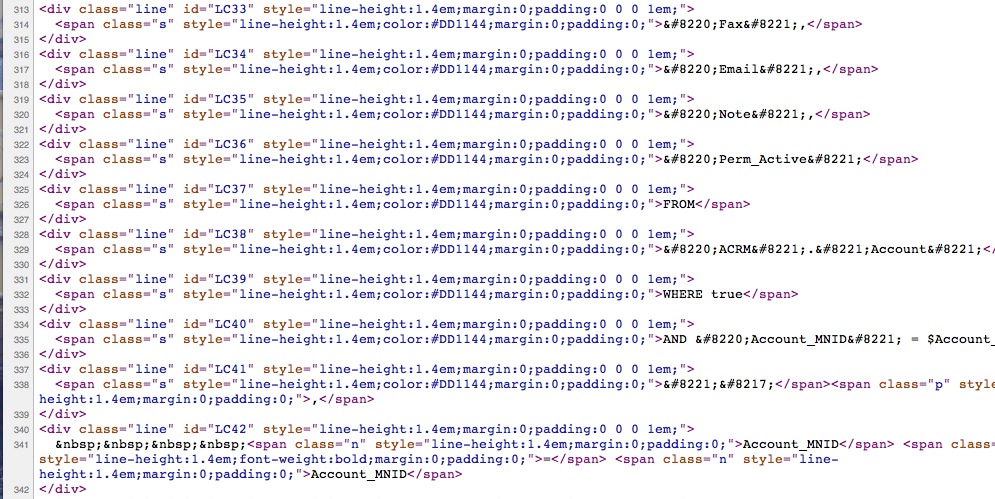
What is the best way to post source code examples?
 The Gahooa Perspective