Python: ‘tuple’ object is not callable

This can be a bit of an obscure error, if you run into it…  It looks like this:

File ".../CCRM/Content.py", line 202, in Page_Update
    ('Nav1'       , Data.Nav1),
TypeError: 'tuple' object is not callable

In reality, it’s typically caused by accidentally forgetting a comma from the line before:

    Page_MNID = App.DB.Value('''
      UPDATE
        "Dashboard"."Page"
      SET
        [Field=Value]
      WHERE True
        AND "Page_MNID" = $Page_MNID
      ''',
      ('ScriptPath' , Data.ScriptPath)
      ('Nav1'       , Data.Nav1),
      ('Nav2_Icon'  , Data.Nav2_Icon),
      ('Nav2_Label' , Data.Nav2_Label),
      ('Title'      , Data.Title),
      ('Active'     , Data.Active),
      Page_MNID     = Data.Page_MNID,
      )

Notice that line 9 is missing a comma at the end?  That causes python to see this:

tuple_object = ("ScriptPath", Data.ScriptPath")
tuple_object("Nav1" , Data.Nav1)  #eg, next tuple looks like params

Solution?  Just add the comma :)

Rubber Band Gun #6 – four pieces explained

I spent a bit of time this evening taking measurements and verifications, adding pin holes, and communicating with Dixon Tool and Die about pricing, etc…

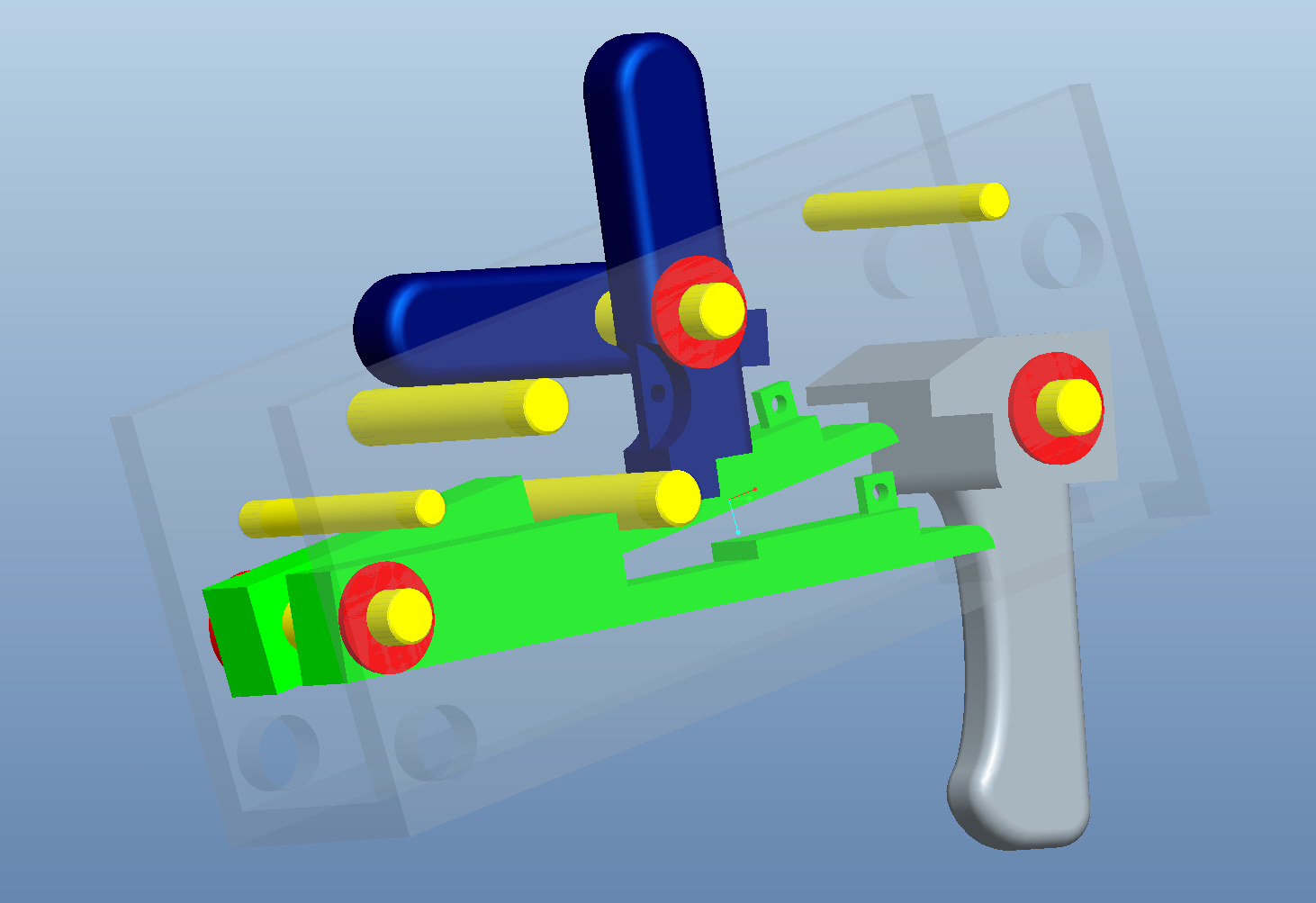
Here are the 4 key parts in the design:

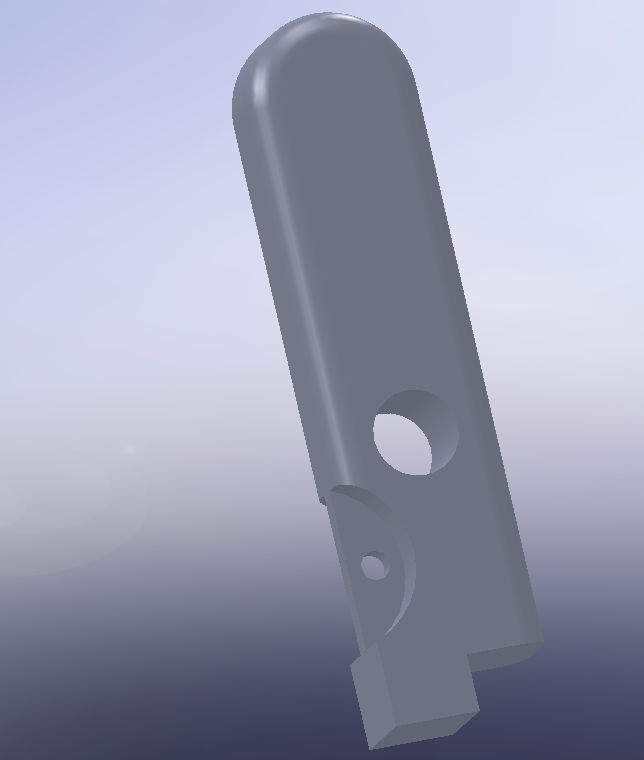
Trigger: Pivots on a 3/16″ dowel pin.  As the trigger is pulled, the two protrusions from the front move downward into the actuators.  The one side is milled out 1/16″ deeper than the other, so that the one side of the rubber band gun fires before the other.  A 2 stage trigger.

Hammer: The hammer is not a hammer in the sense that it strikes something, but only in that it resembles the hammer from a gun.  It pivots on a 3/16″ dowel pin.  At the bottom is a milled out section directly below the pivot point, providing for a linear, smooth release.  The notch and hole on the front are used to attach a spring, which provides an automatic-reset for the hammer.

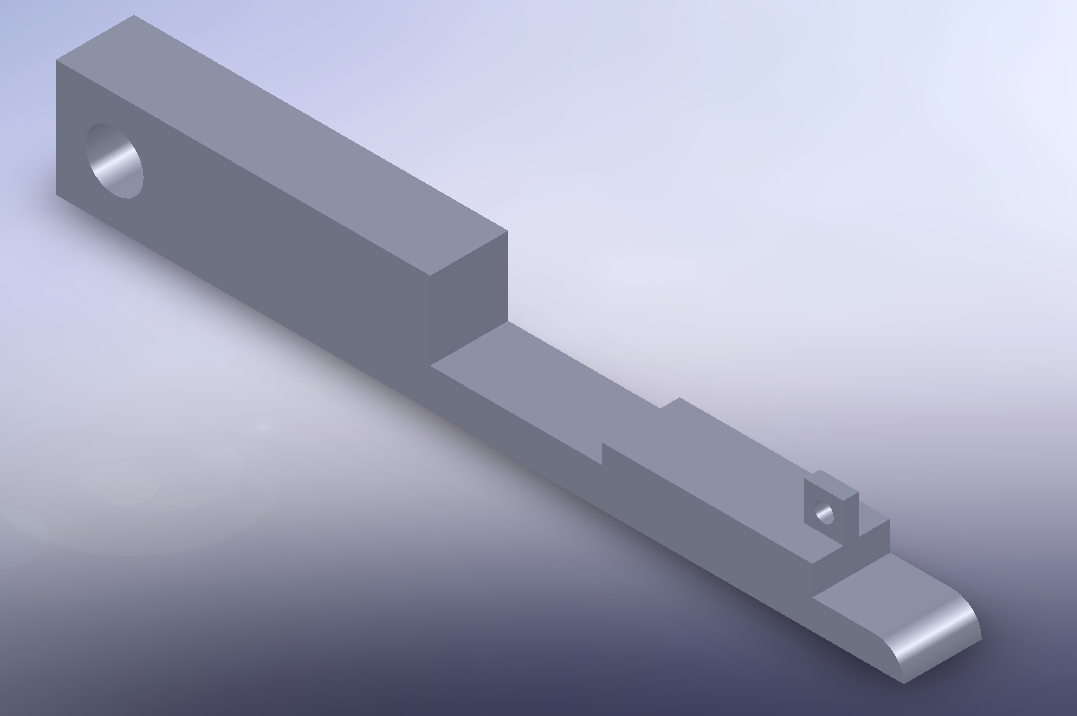
Actuator: Because I couldn’t think of a better name at the time.  This is the piece which holds the hammer from being released, and also contacts the trigger, both providing a linkage to be released, as well as spring tension up on the trigger.  Since the trigger does not have a spring, it relies on the contact from this part to provide springiness.

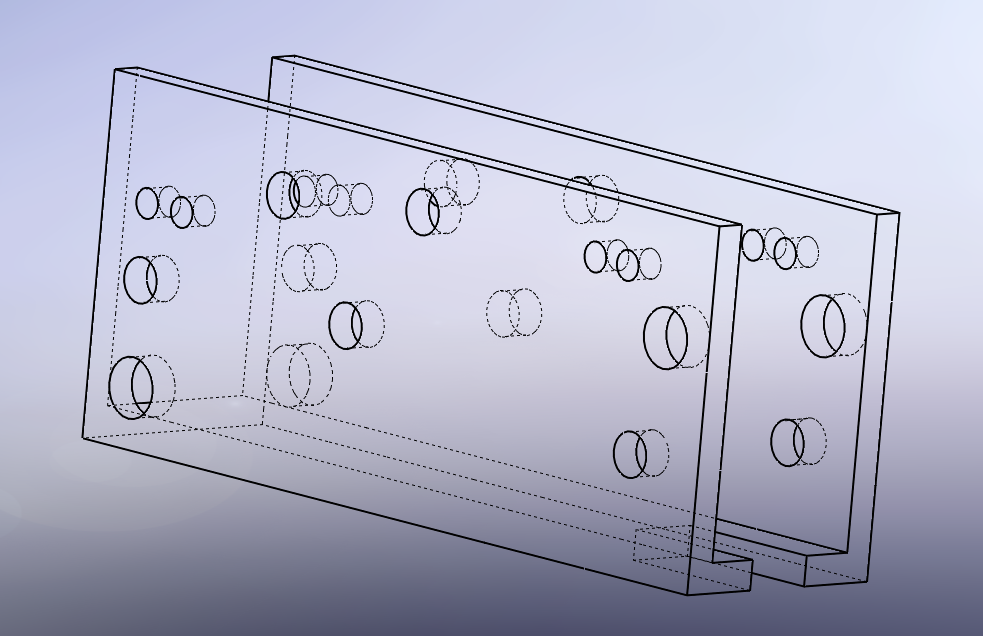
Receiver: For simplicity, this is milled and drilled from a 1.000 x 1.500 aluminum tube with 0.125″ thick walls.  It is responsible for holding pins, which in turn hold the rest of the parts.

Well, that’s all for now.

Rubber Band Gun #6 – springs, etc…

I visited Dixon Tool and Die, Inc. today to see about having some machining done.  Bill Dixon Jr. was very helpful, and explained many of the points that will make the process go easier.

  1. Design for available parts and sizes
  2. Buy everything you can stock (pins, springs, aluminum channel, etc…)
  3. Minimize milling by doing the above

To that end, I did a bit of springy research, and found that neither McMaster Carr or Manhattan Supply Co. had really small springs in bulk (only precision (eg expensive) springs in those sizes).

So I re-placed one of the pins to fit a standard (cheap) McMaster spring, and got pricing from http://centuryspring.aitrk.com/products/extension.html for a special spring.  The trigger spring has ~ a 2/1 leverage (finger/spring), so we need to have several lbs of spring pull to equal a decent trigger pull.  They have a spring with these dimensions:

Part #80127
Diameter: 3/16″
Rest: 0.63″
Max Travel: 0.39″
Load at max: 3.9lbs
ID of loops at ends: .132
$1.20 each at 100

While $1.20 is more than I wanted to pay, it sure beats $2.00 to $3.00 per spring that I was looking at from McMaster.

With a shorter spring, I was able to re-design the pin placement, which resulted in this:

Rubber Band Gun #6 and Pro/Engineer Wildfire

I recently purchased a copy of Pro/Engineer Wildfire 5.0, and have been comparing it to SolidWorks. They are both nice programs, and within about a day, I have achieved about the same level of usefulness in ProE as SolidWorks. (Note: all that means is that I am a beginner at this).

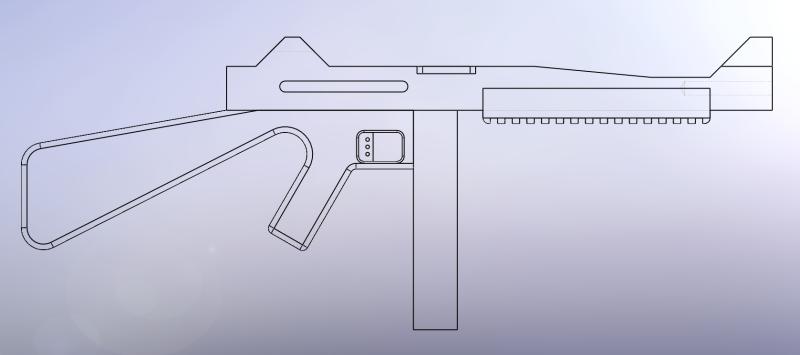
Anyway, I wished to share one of the models I’m working on. This is a mechanism for a Rubber Band Gun receiver.

How to checkout and track a remote git branch

One of those really handy things to remember…  When git “tracks” a branch, it basically sets up an entry in .git/config which tells git what to do with push and pull.  For example:

I had a remote branch called Task/Round3.3.

I wanted to work on it locally, but have push and pull work right.

So I ran this:

git checkout -b Task/Round3.3 --track origin/Task/Round3.3

To which git said:

Branch Task/Round3.3 set up to track remote branch refs/remotes/origin/Task/Round3.3.
Switched to a new branch "Task/Round3.3"

And in .git/config, these lines were added:

[branch "Task/Round3.3"]
remote = origin
merge = refs/heads/Task/Round3.3

Now, when I checkout Task/Round3.3, I am able to say `git pull` and `git push`, and it will do the “right thing”…

git add -u

Here is a nice little tidbit I ran across some time ago…  Ever delete a bunch of files from a git working copy, and then had to go in and tell git that you meant to delete them?  For example:

[jason@dc40 AppStruct]$ git status
# On branch master
# Changed but not updated:
#   (use "git add/rm ..." to update what will be committed)
#
#       deleted:    Python/AppStruct/Application.py
#       modified:   Python/AppStruct/Database/PostgreSQL.py
#       deleted:    Python/AppStruct/Date.py
#       deleted:    Python/AppStruct/JSON.py
#       deleted:    Python/AppStruct/Util.py
#       deleted:    Python/AppStruct/__init__.py
#
# Untracked files:
#   (use "git add ..." to include in what will be committed)
#
#       Python/AppStruct/NewFile.txt
no changes added to commit (use "git add" and/or "git commit -a")

Previously, the way to handle this would be:

   git rm ...
   git rm ...
   git rm ...
   git rm ...
   git rm ...
   git add ...
   git add ...

Rather, isn’t this easier?

   git add -u
   git add .

From the man page for git-add:

–update | -u
Only match against already tracked files in the index rather than the working tree. That means that it will never stage new files, but that it will stage modified new contents of tracked files and that it will remove files from the index if the corresponding files in the working tree have been removed.

TypeError: list indices must be integers

You start your day, happily working with dictionaries…Life is good.

>>> mydict = {'key-a': 'value-a', 'key-b': 'value-b'}
>>> mydict['key-a']
'value-a'

All of a sudden, storm clouds appear. Your dictionary variable accidentally gets assigned a list, and life is no longer good!

>>> mydict = {'key-a': 'value-a', 'key-b': 'value-b'}
>>> mydict['key-a']
'value-a'
>>> mydict = []
>>> mydict['key-a']
Traceback (most recent call last):
  File "<stdin>", line 1, in <module>
TypeError: list indices must be integers

The error message "TypeError: list indices must be integers" is generated when you attempt to use a non-int for a index inside the [] operator.

By the way, almost the same message is used if you do this with a tuple:

TypeError: tuple indices must be integers

Great article on Python super, __mro__, and attributes

I highly recommend reading this excellent writeup on Python super(), python __mro__, python attributes, and more.

It is Copyright © 2005-2009 Shalabh Chaturvedi

http://www.cafepy.com/article/python_attributes_and_methods/python_attributes_and_methods.html#method-resolution-order